
Learn how to use the Cequens WhatsApp Sandbox API for testing and development. Understand authentication, restrictions, and setup.
Overview
Welcome to the Cequens WhatsApp Sandbox API documentation. This page is designed for developers and business users who are new to the Cequens platform and want to explore the capabilities of the WhatsApp Business APIs. The sandbox environment allows you to test and understand the API functionalities without affecting your production data.
Purpose
The Cequens WhatsApp Sandbox API provides a safe environment to experiment with WhatsApp Business features. It is ideal for users who want to familiarize themselves with the API's capabilities before deploying them in a live environment.
Getting Started
Requesting Access
- Sandbox Access Token: To begin using the sandbox, request a sandbox access token from your account manager or create a Trial Account on the CEQUENS Communication Platform. This process is free and quick, allowing you to start testing within minutes.
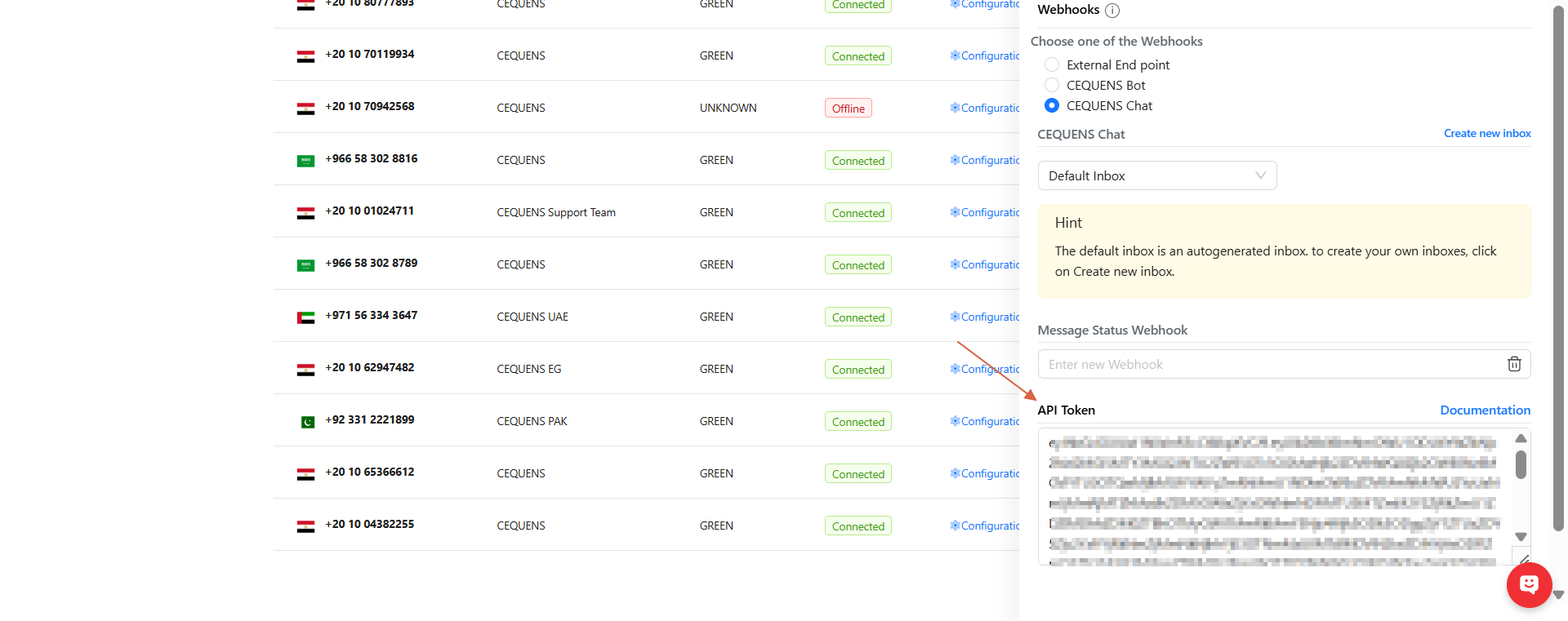
- API Token Retrieval: Once your account is set up, retrieve your API token from the Sandbox Setting menu in the CEQUENS console.
WhatsApp Business Sandbox Number
- Sandbox Number: Use the number 201065509866 for all sandbox testing.
Important Restrictions
- Template Messages: Sending template messages is not permitted in the sandbox environment. This feature is reserved for production accounts only.
Authentication
Using JWT Tokens
- Bearer Token Authentication: The API uses bearer token authentication. Include your token in the Authorization header, prefixed with the word Bearer.
Example
Authorization: Bearer your_token_hereFinding Your API Token
- API Token Location: You can find your API token for your configured number through the CEQUENS console.
Namespace Information
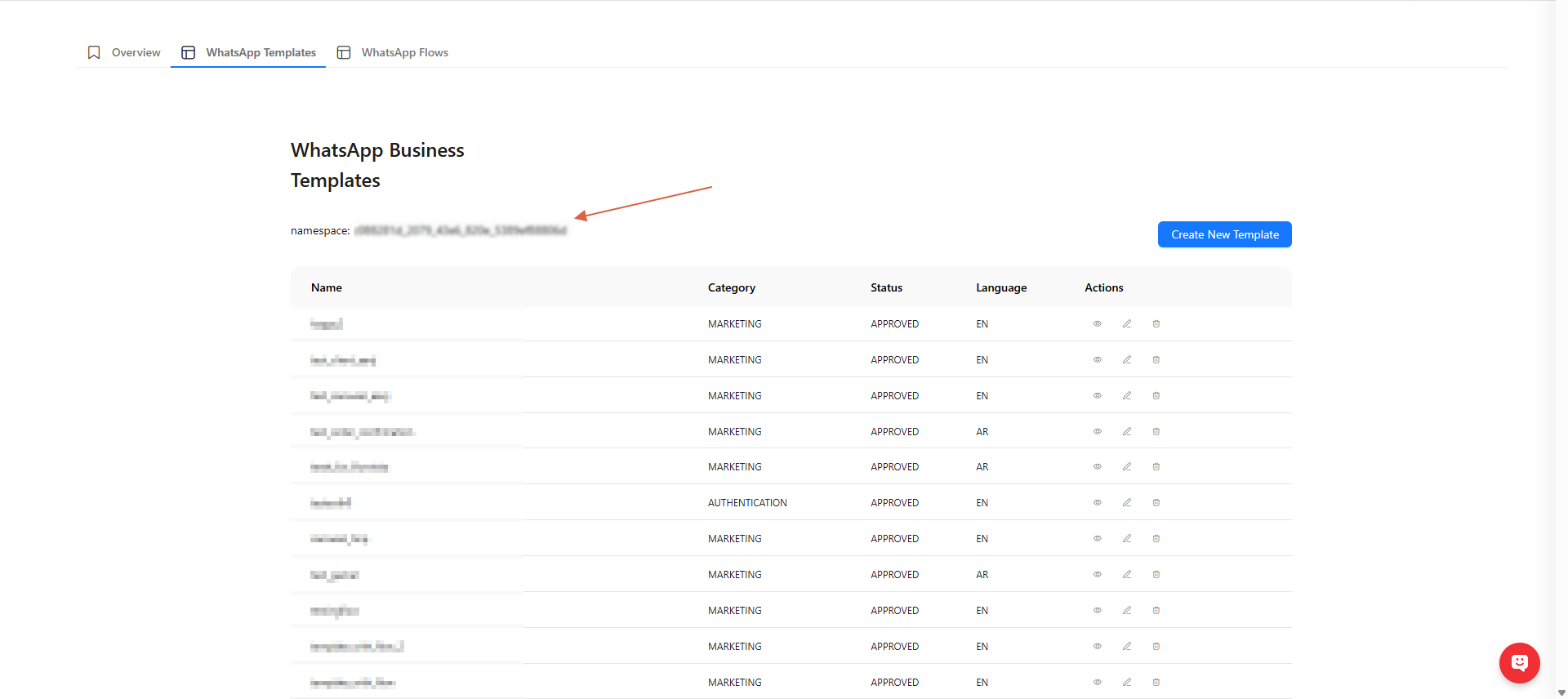
- Namespace Value: To find the 'namespace' value, visit the CEQUENS console on the WhatsApp templates page.
Conclusion
This sandbox environment is a valuable tool for understanding and testing the Cequens WhatsApp Business APIs. By following the steps outlined above, you can effectively explore the API's features and prepare for production deployment.