
AI Powered Features
Feature Overview
The AI-Assisted Human Agent Collaboration feature focuses on enhancing the capabilities of human customer service agents by leveraging AI technology within an omnichannel chat environment. This approach aims to improve the efficiency and personalization of responses provided to customers across various communication channels such as SMS, WhatsApp, email, voice, and social media platforms.
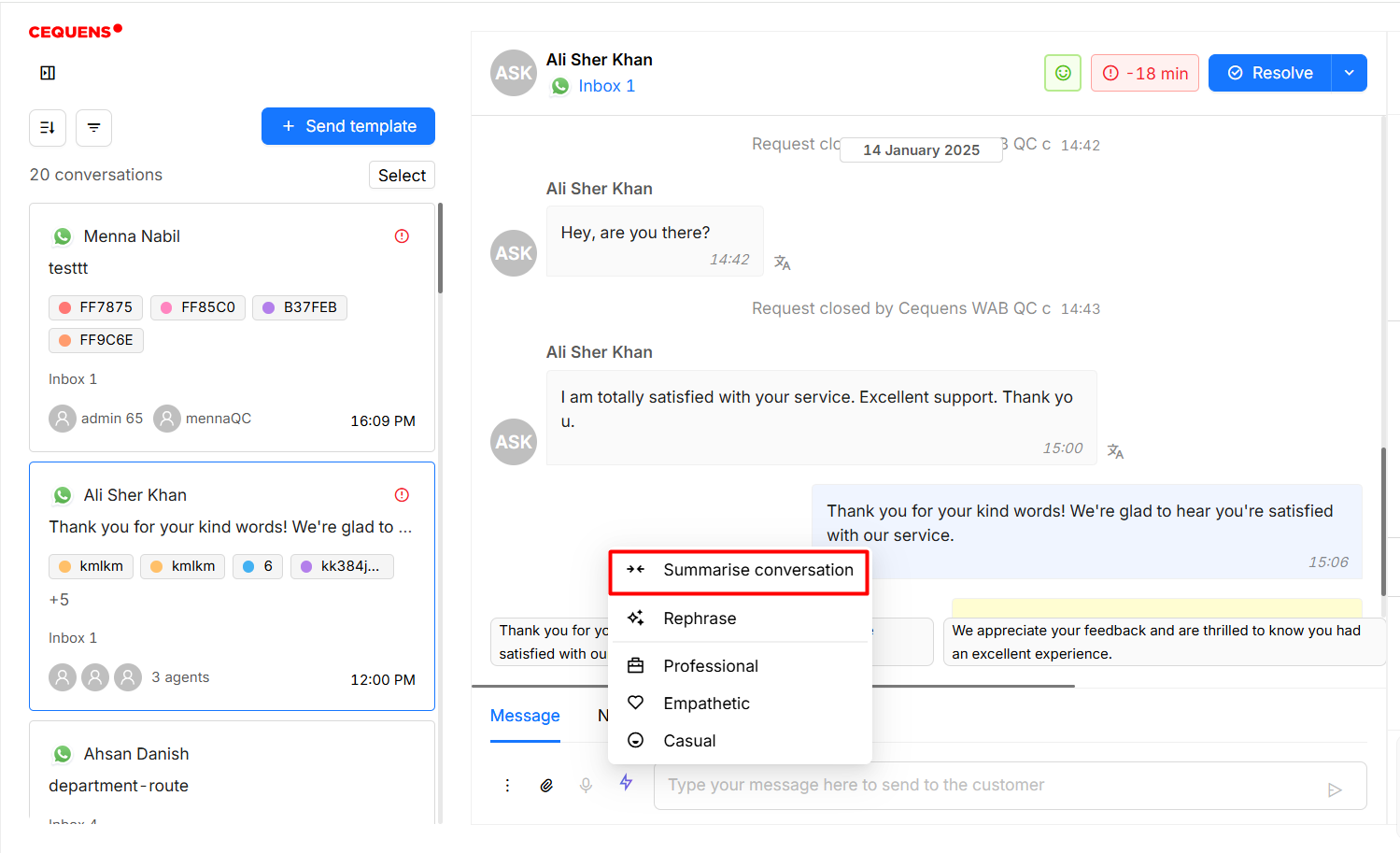
AI Summarize
- Access Summary: Click on the AI tools icon in the text editor and select "Summarize Conversation" button within the chat interface.
- View Summary: The AI will generate a concise summary of the entire conversation, which will be displayed for quick review.
AI Rephrase
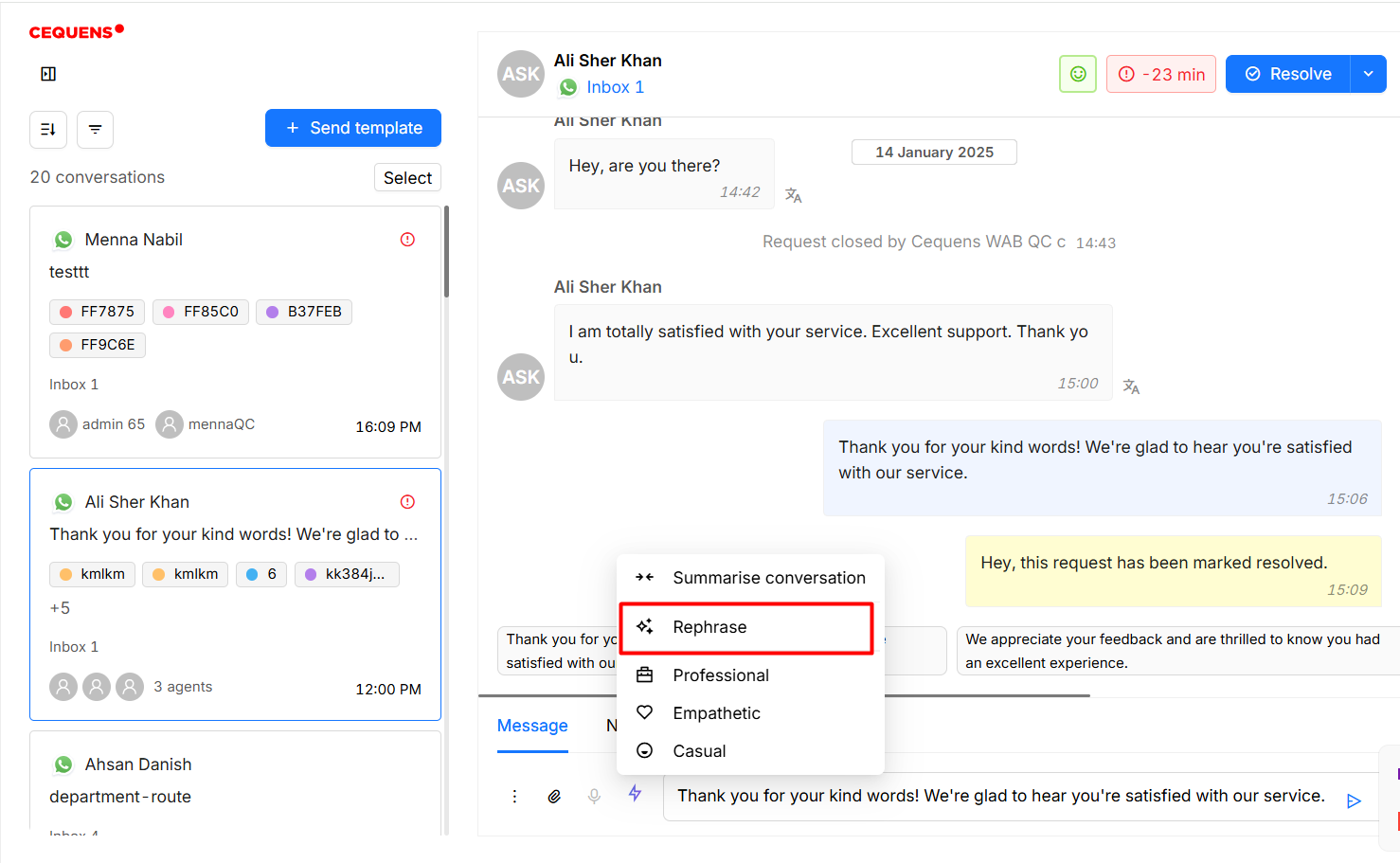
- Select Message: Enter the message in the text editor that needs rephrasing.
- Rephrase Message: Click on the "Rephrase" button, and the AI will generate a more professional version.
- Review and Send: Review the rephrased message for accuracy and click "Send" to communicate with the customer.
AI Tone Change
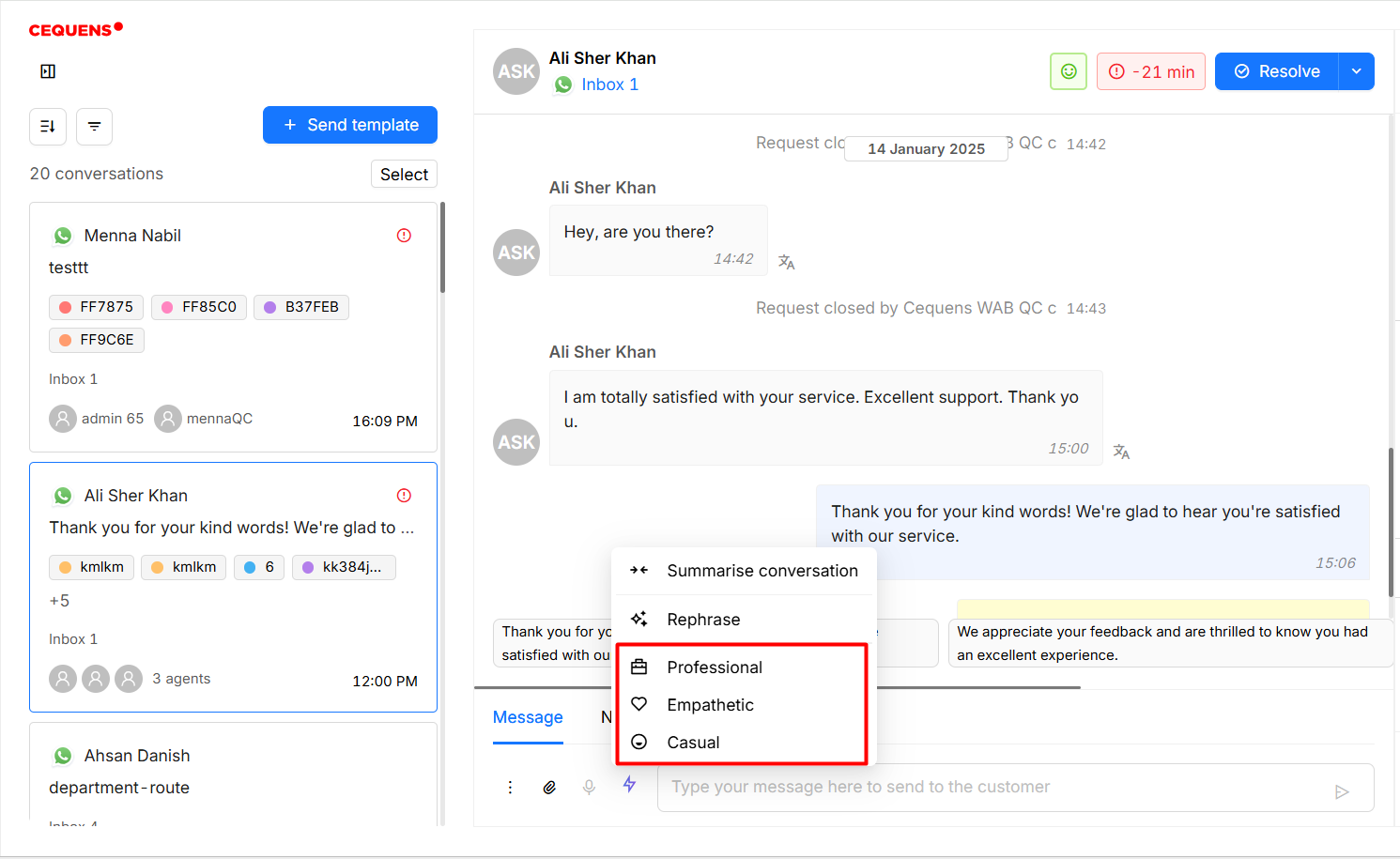
- Select Message: Enter the message in the text editor.
- Apply Tone Change: Select the option of AI tools, and then select from the tones 'Professional', 'Empathetic' and 'Casual'.
- Review and Send: Message will be updated within the text editor. Review the modified message and click "Send" to deliver the updated response to the customer.
AI Suggest
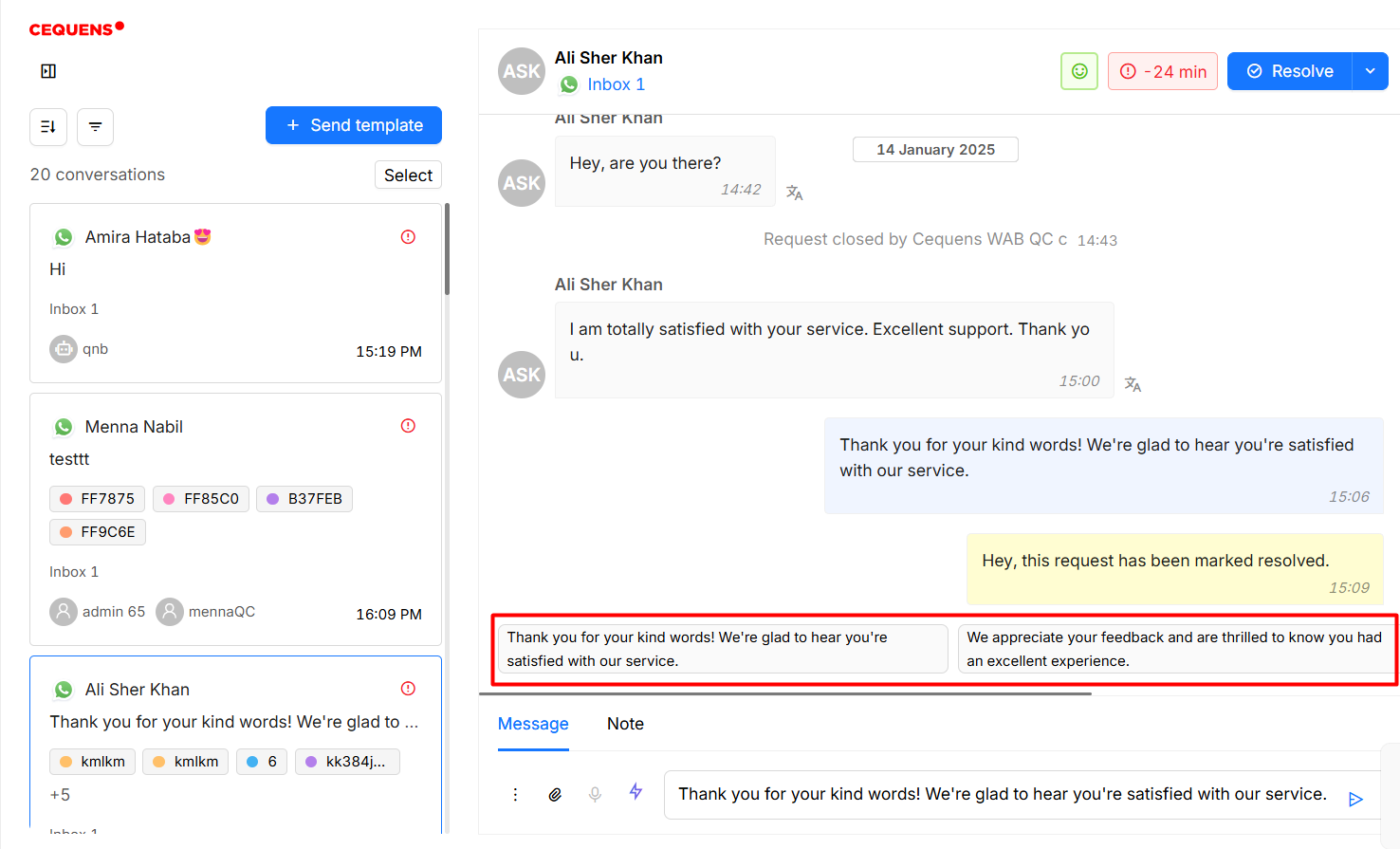
- Contextual Suggestion: During an ongoing conversation, AI will provide contextually relevant response suggestions.
- Apply Suggestion: Click on the suggested response to insert it into the message box.
- Edit and Send: If needed, edit the suggested message before clicking "Send" to respond to the customer.
AI Translation
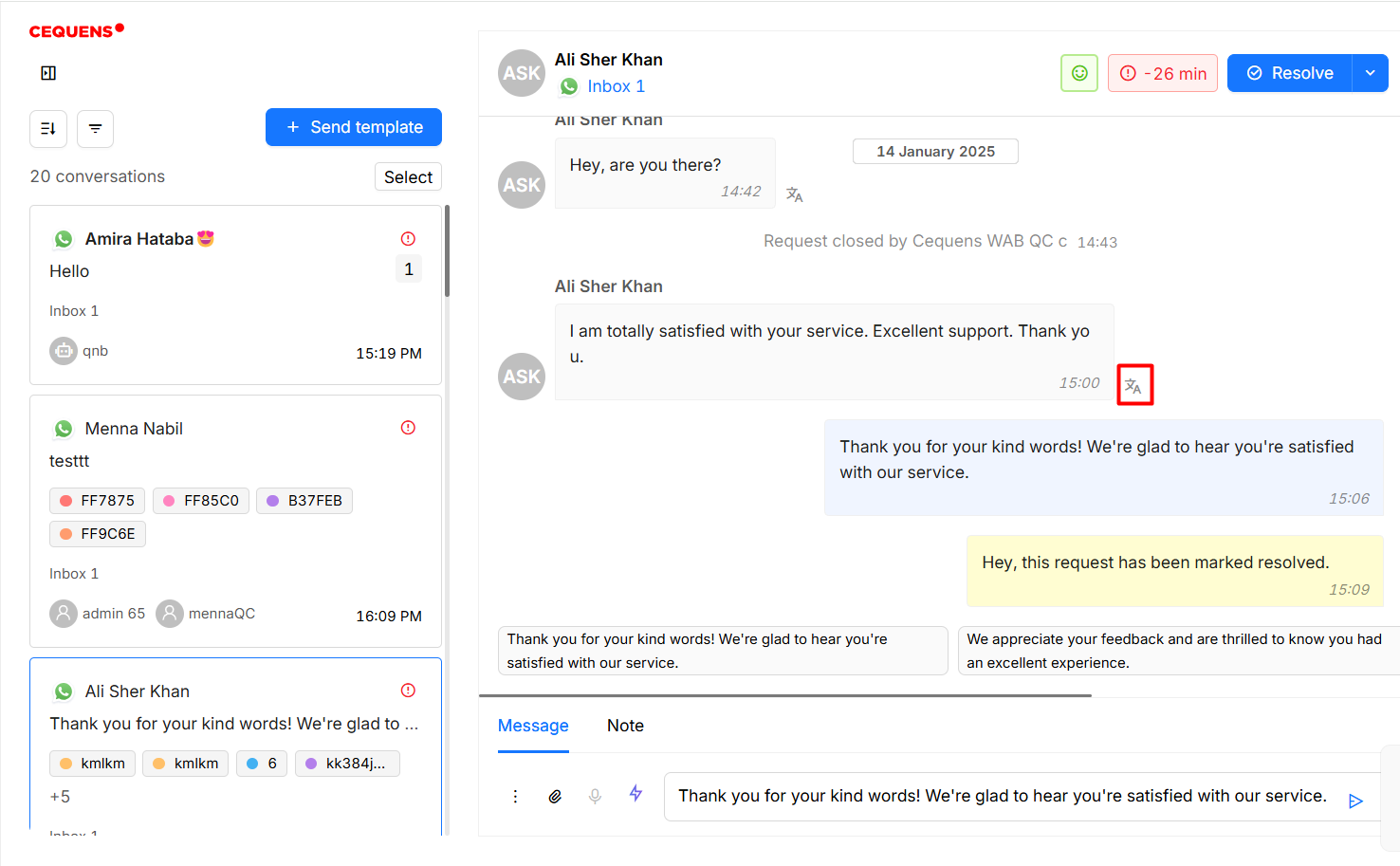
- Enable Translation: Click on the "Translate" icon in front of the message.
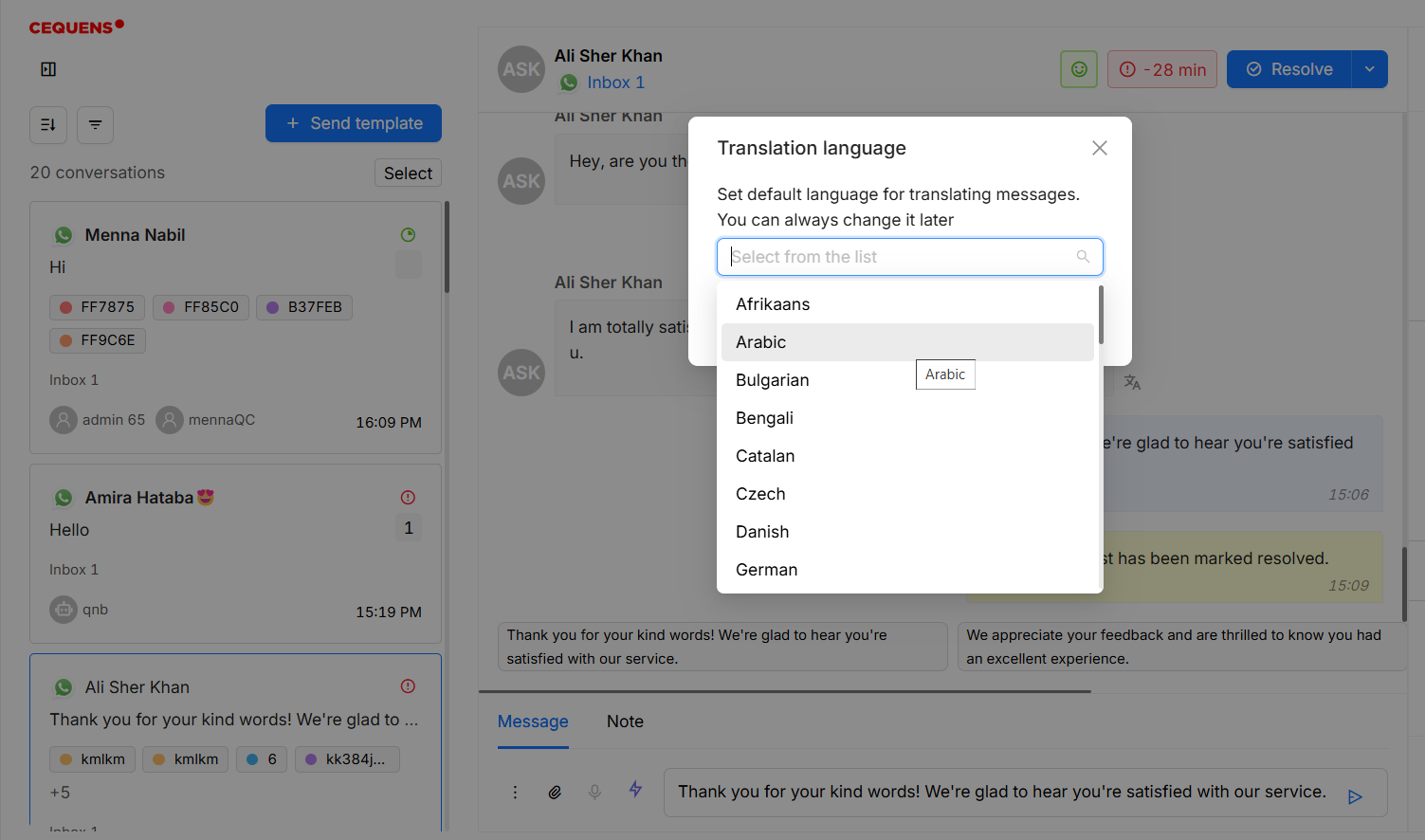
- Select Language: Choose the target language for translation from the pop up.
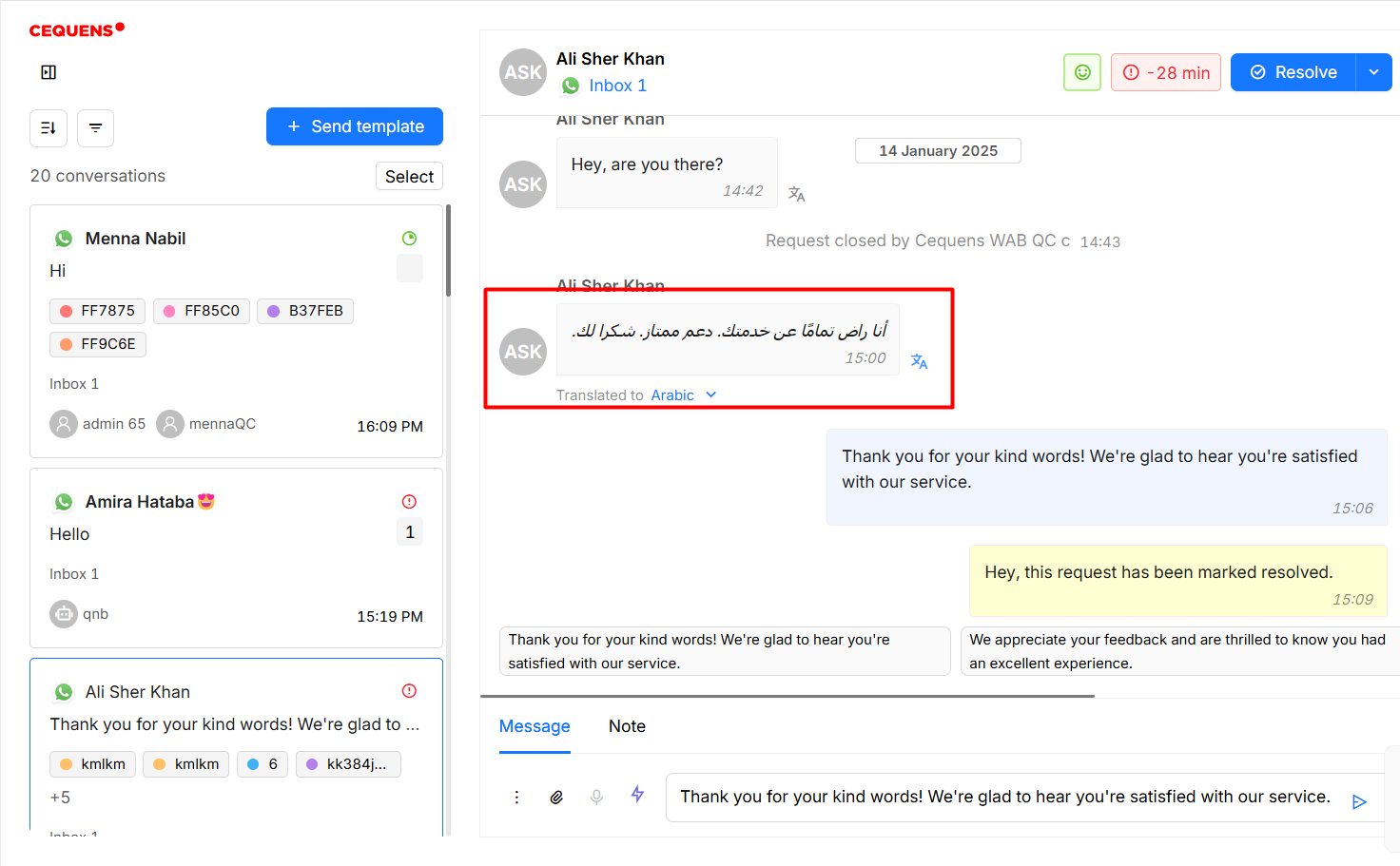
- View Translation: The AI will translate incoming messages in real-time, allowing smooth communication across different languages.
Sentiment Analysis
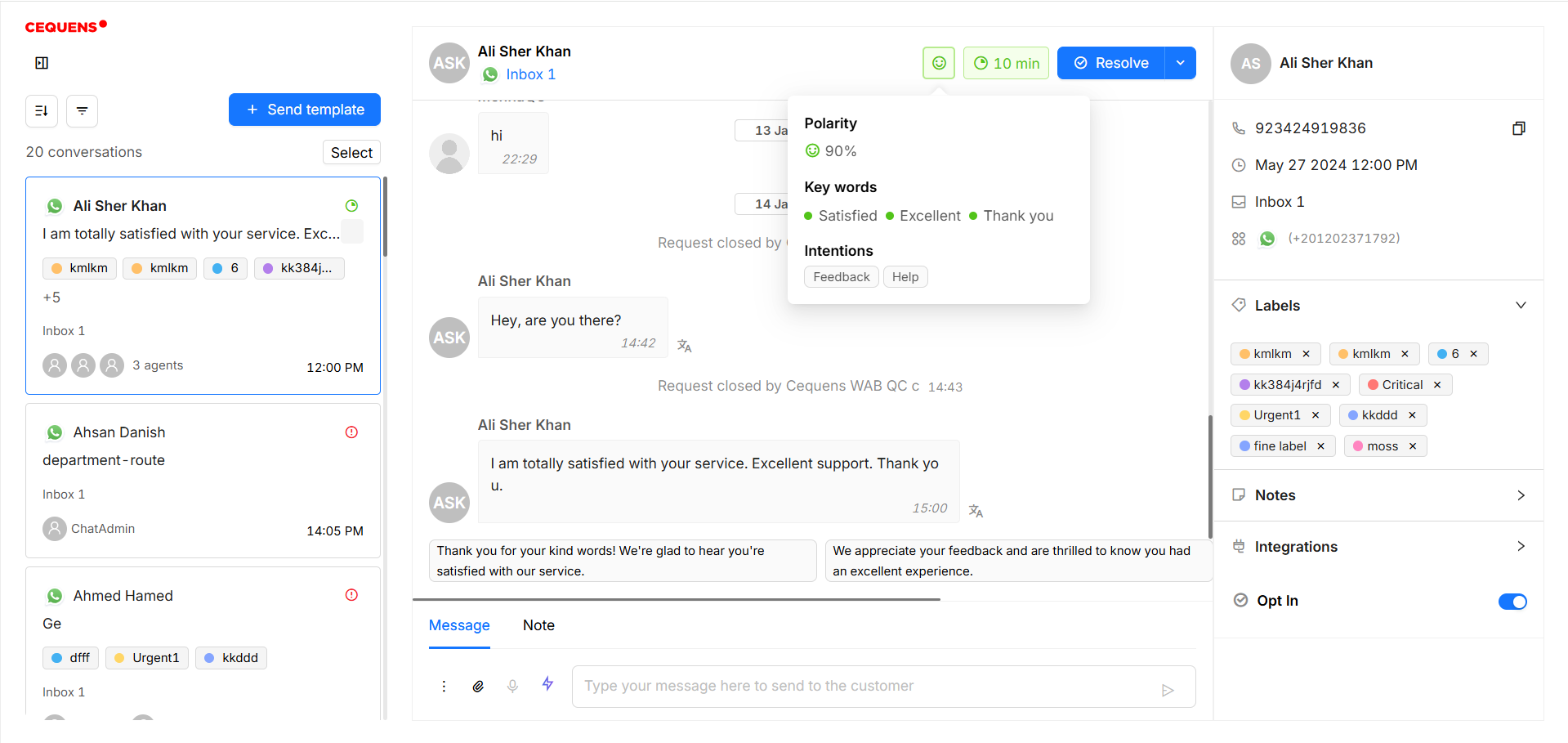
- This feature analyzes the sentiment of the last three incoming messages in a conversation. It provides a sentiment score, highlights key keywords, and identifies the user's intentions, helping agents understand the tone and context of the conversation for better response management.
Updated 6 months ago