
Avoid dead loops
Sometimes you can receive a MAX_ACTIONS exceeded message in your chatbot, something like the following:
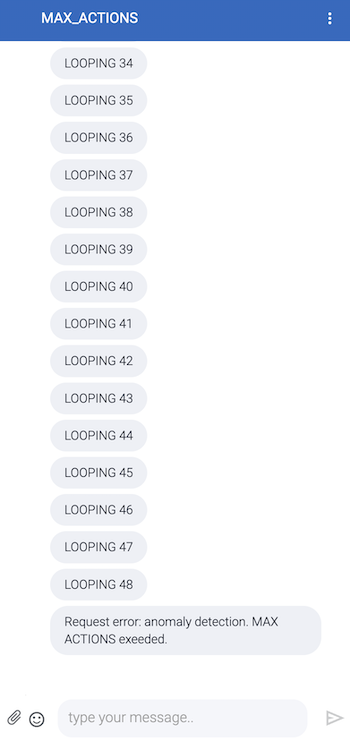
You receive this message whenever you accidentally create an infinite loop in your chatbot blocks invocation, like in the following design:
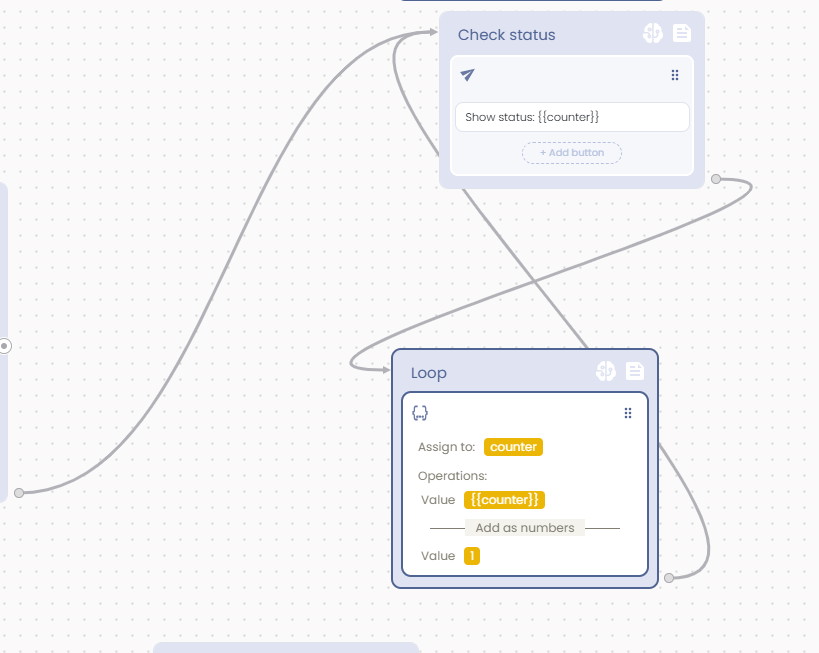
The total number of steps you can provide in your chatbots flows are limited when no user interaction occurs. effectively, the MAX_ACTIONS step counter is always reset on each user interaction.
Sometimes it is anyway useful to have a loop in the background, for example, if you're polling some remote API to get some information necessary to choose the next action in the loop. In this case, if you think that the loop needs a lot of iterations to get the value you need, you can avoid the MAX_ACTIONS exceeded message simply by putting a Wait Action of at least 1 second delay in the middle of the loop, like in the following picture:
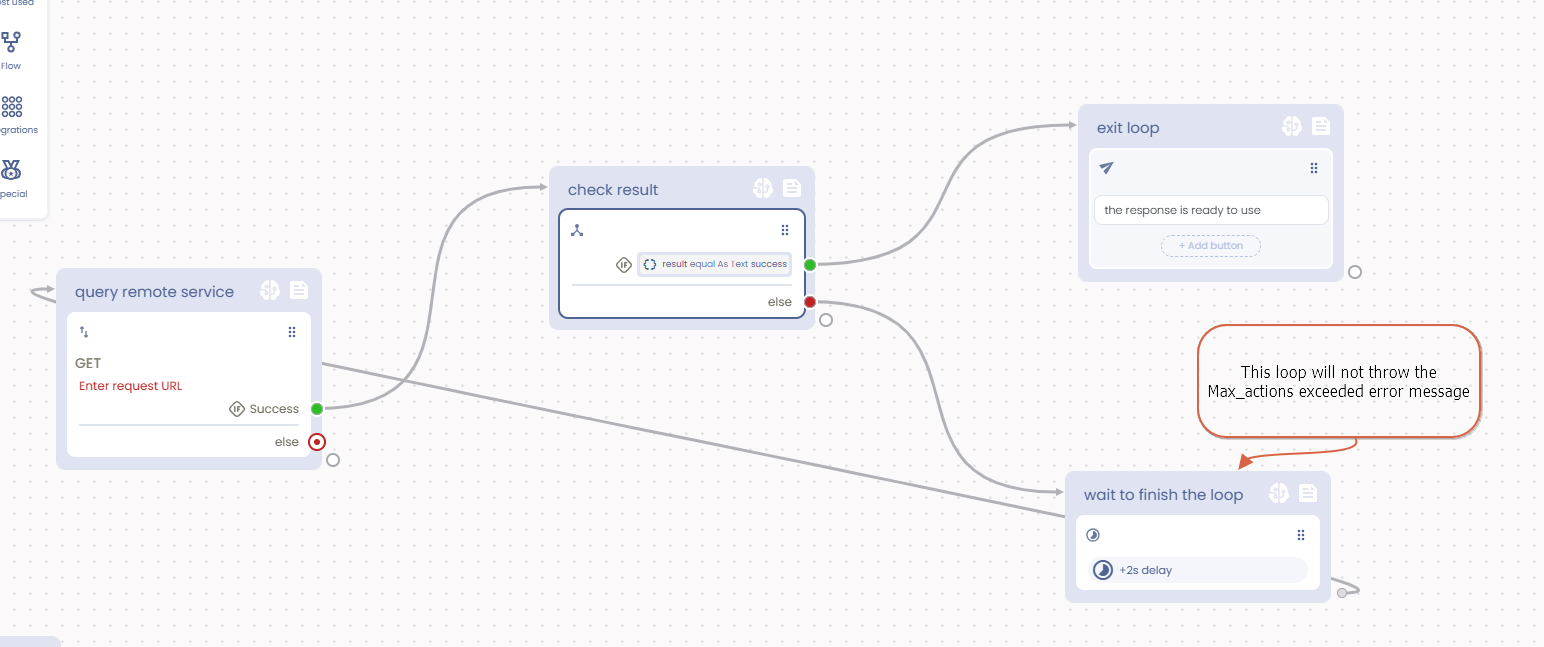
Keep in mind that a flow, like a loop, without user interaction can last a maximum of 4 hours. After this time, the flow will be forced to stop at some indeterminate state during the iteration.
Updated over 1 year ago