
Use the Close action
Intro
Every conversation needs to be ended at some point. Imagine once the bot has successfully answered your customer, and your customer wants to close the conversation. This is where the Close action becomes handy.
How to insert the Close action in the conversation flow
You can use this action whenever you think the customer has received adequate support and needs to close the conversation.
First, we need to head to the bot we want to modify and enter the Design Studio.
In the left sidebar menu, you can find the Close action. Simply drop it somewhere on the canvas.
Now, you need to connect the button to this new block, as shown in the image below:
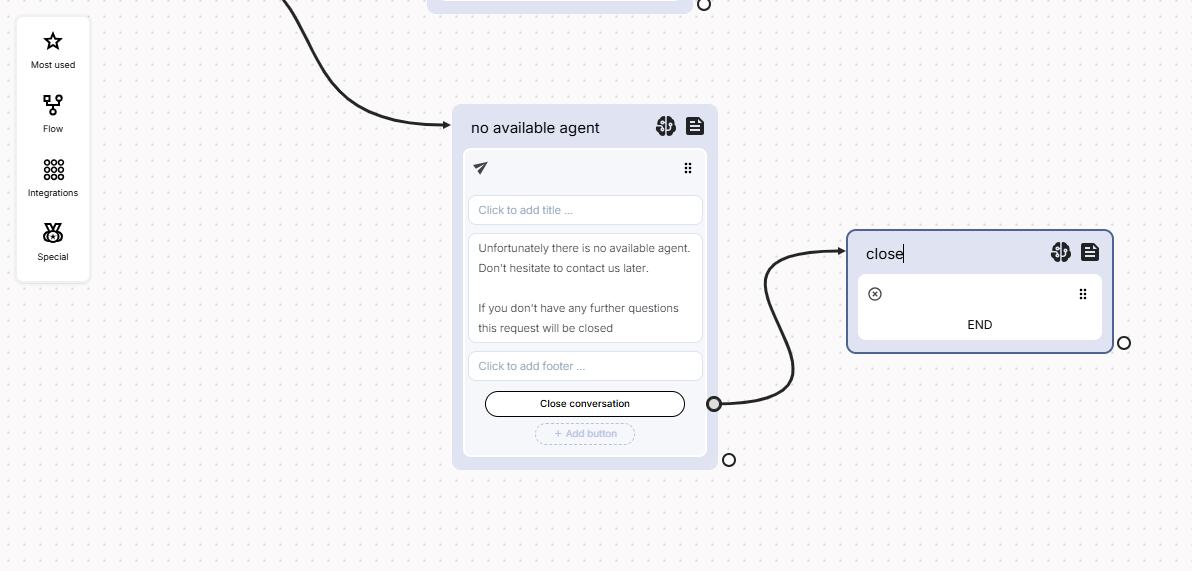
That’s all! From now on, by clicking on this button, the conversation will end.
Updated over 1 year ago