
Surveys Management
Surveys allow you to collect customer feedback after conversations. Create custom surveys, send them to customers via a shortened URL, and analyze responses to improve your support quality.
Surveys User Guide
Surveys in CEQUENS Chat enable businesses to gather valuable customer feedback, measure satisfaction levels, and identify opportunities for service improvement.
Accessing Surveys
Navigate to Surveys from the left menu to begin creating and managing your customer feedback surveys.
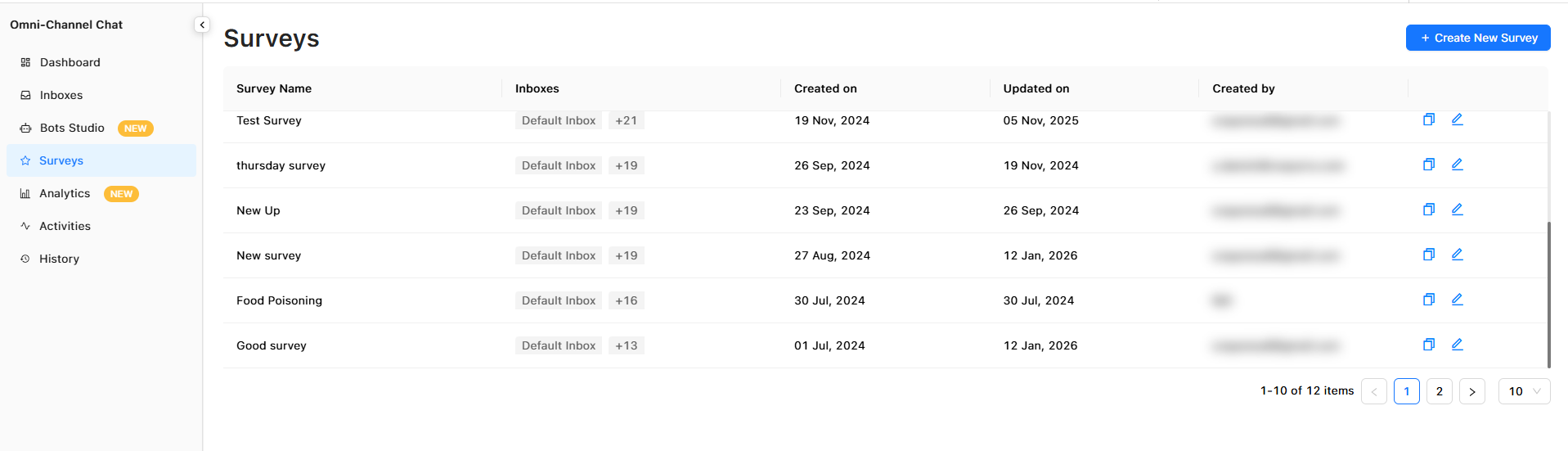
Survey Management Interface
The Surveys interface consists of three main tabs: Content, Settings, and Results. Each tab serves a specific purpose in the survey creation and analysis workflow.
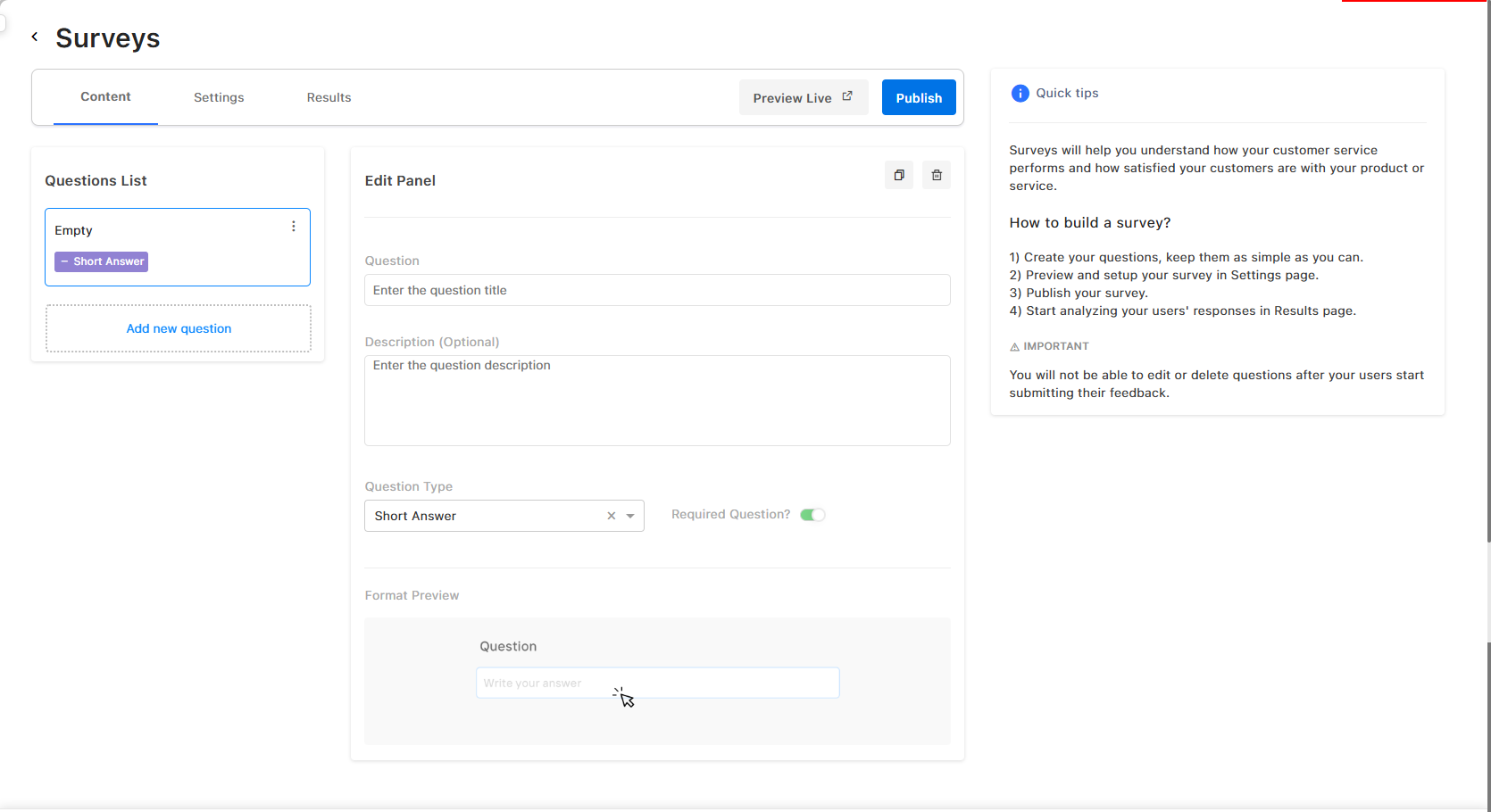
Content Tab: Building Your Survey, Publish & Customize
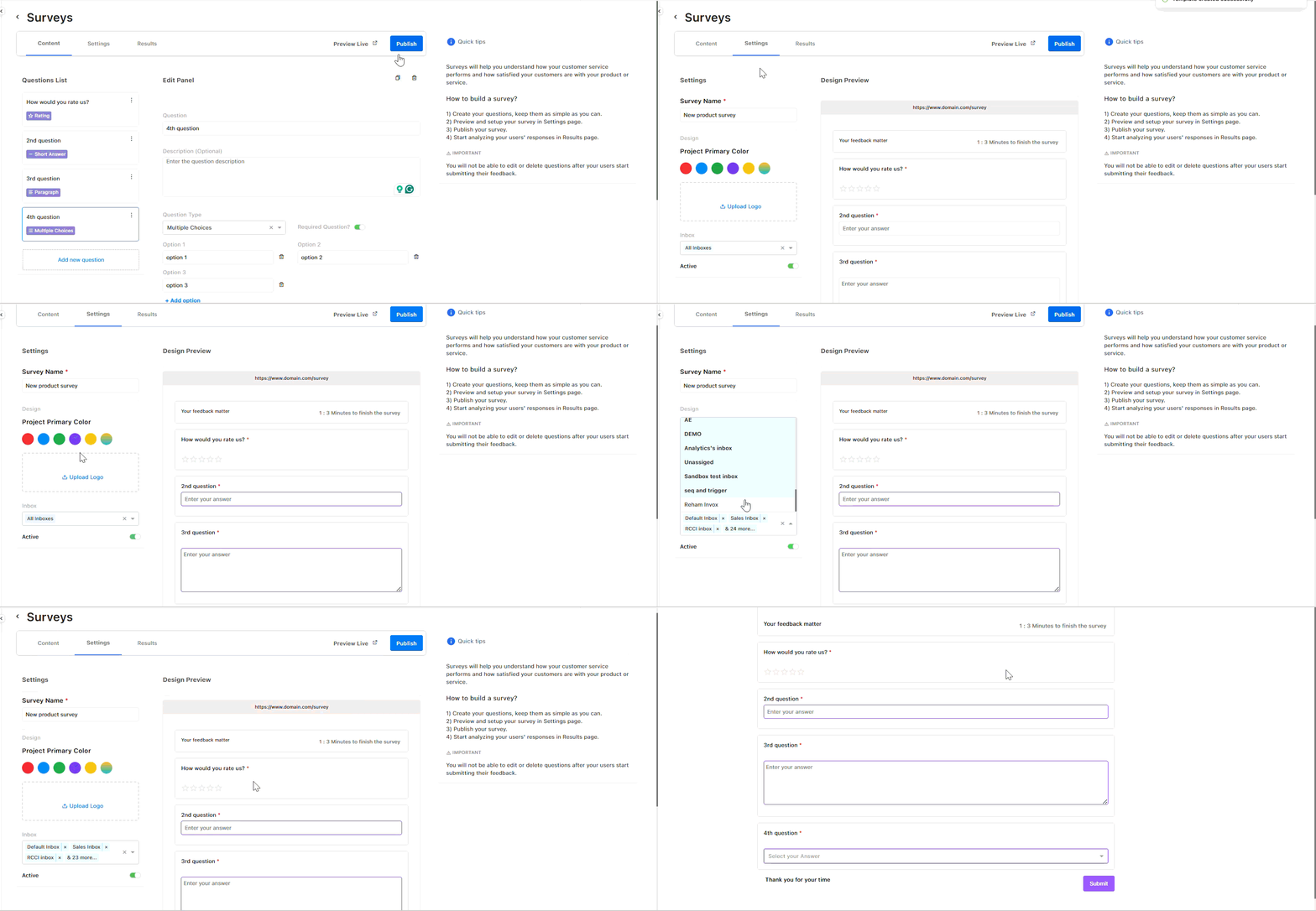
The Content tab is where you create and manage survey questions.
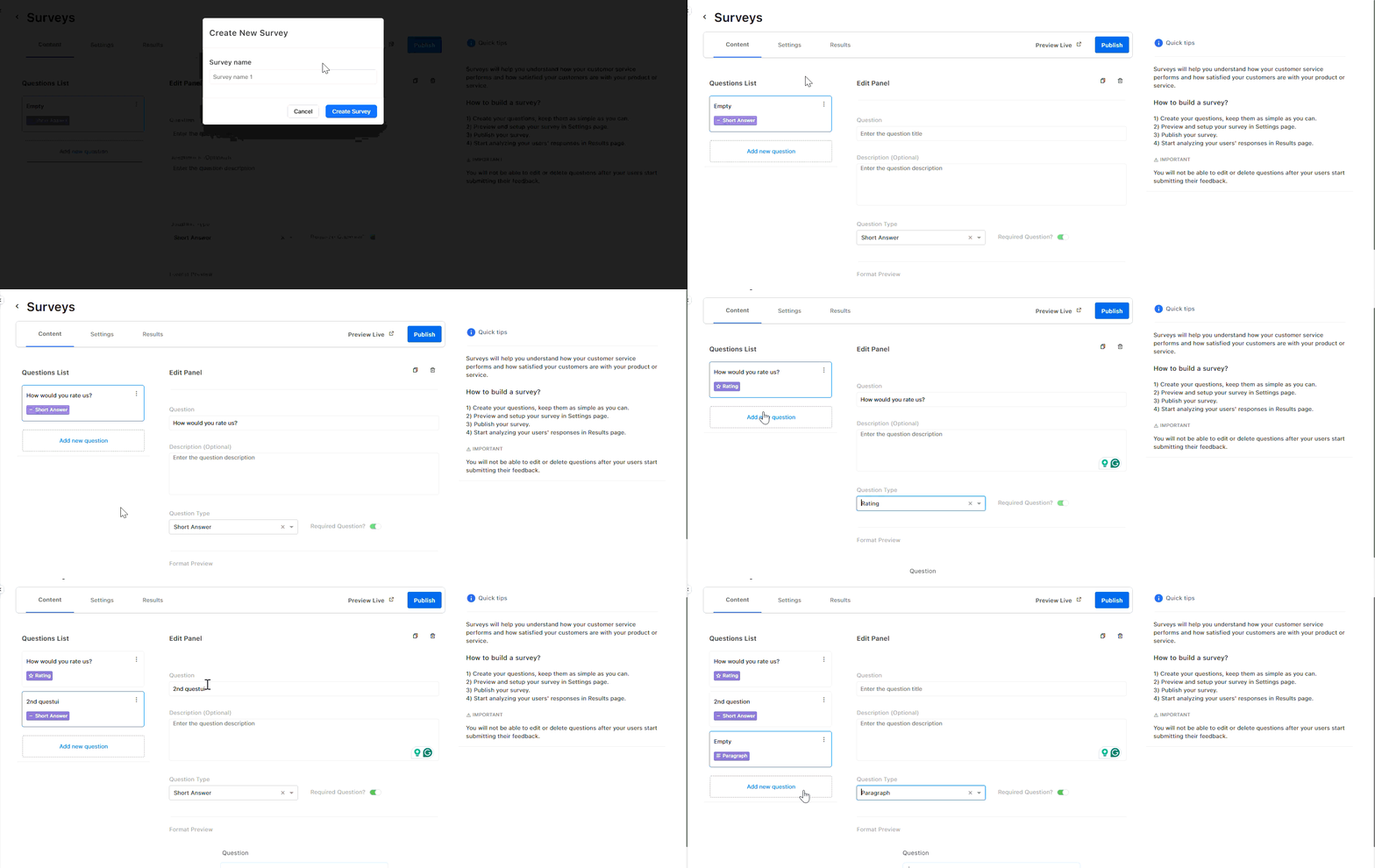
Managing Questions
- Before feedback submission: You can edit or duplicate questions by clicking the three-dot menu next to each question
- After feedback submission: Questions cannot be edited or deleted once customers begin submitting responses to maintain data integrity
Creating New Questions
Click Add New Question to create a survey question. You'll need to provide:
- Title: The main question text
- Description: Additional context or instructions (optional)
- Question Type: Choose from the following options:
- Short answer
- Paragraph
- Multiple choice
- Rating
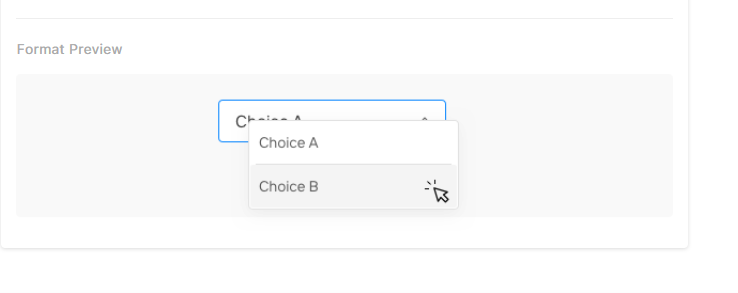
Previewing Questions
Use the format preview section to see how your question will appear to customers before publishing.
Settings Tab: Customizing Survey Appearance
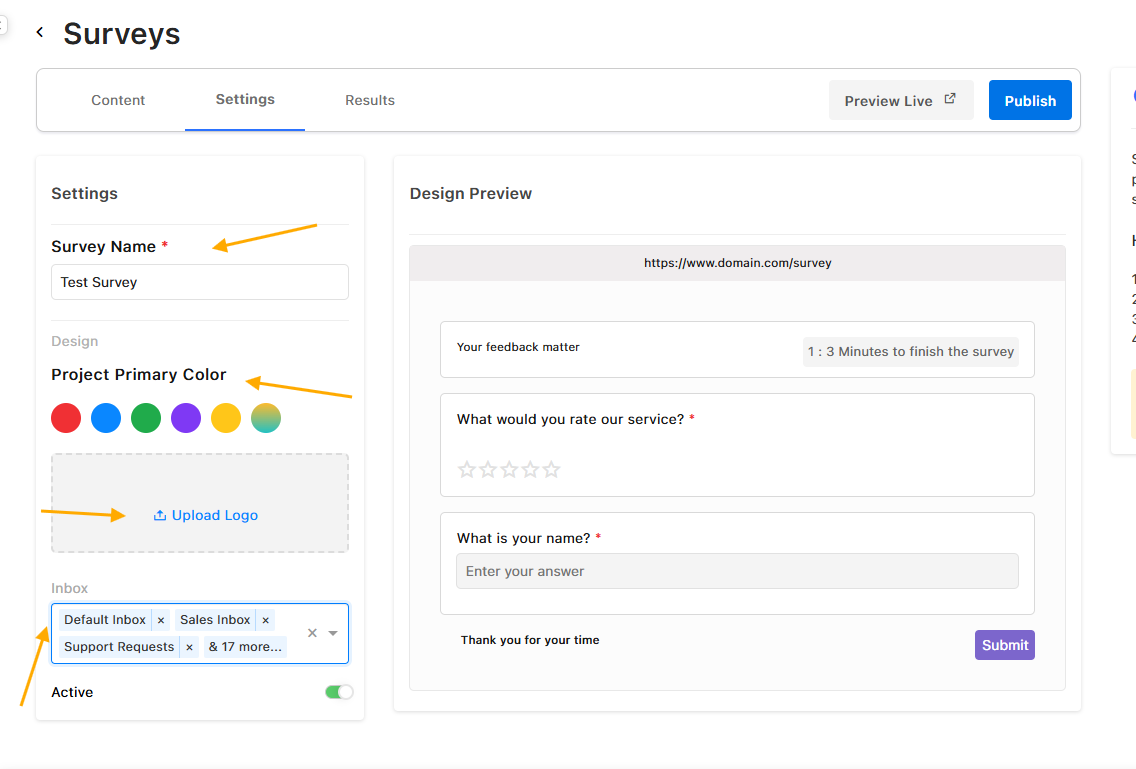
The Settings tab allows you to customize the visual design and distribution settings of your survey after you click 'Publish' survey.
Design Customization
- Color Scheme: Adjust colors to match your brand identity
- Logo Upload: Click Upload Logo to add your company logo from your files
Distribution Settings
Select the relevant inbox from which you want to distribute the survey to customers.
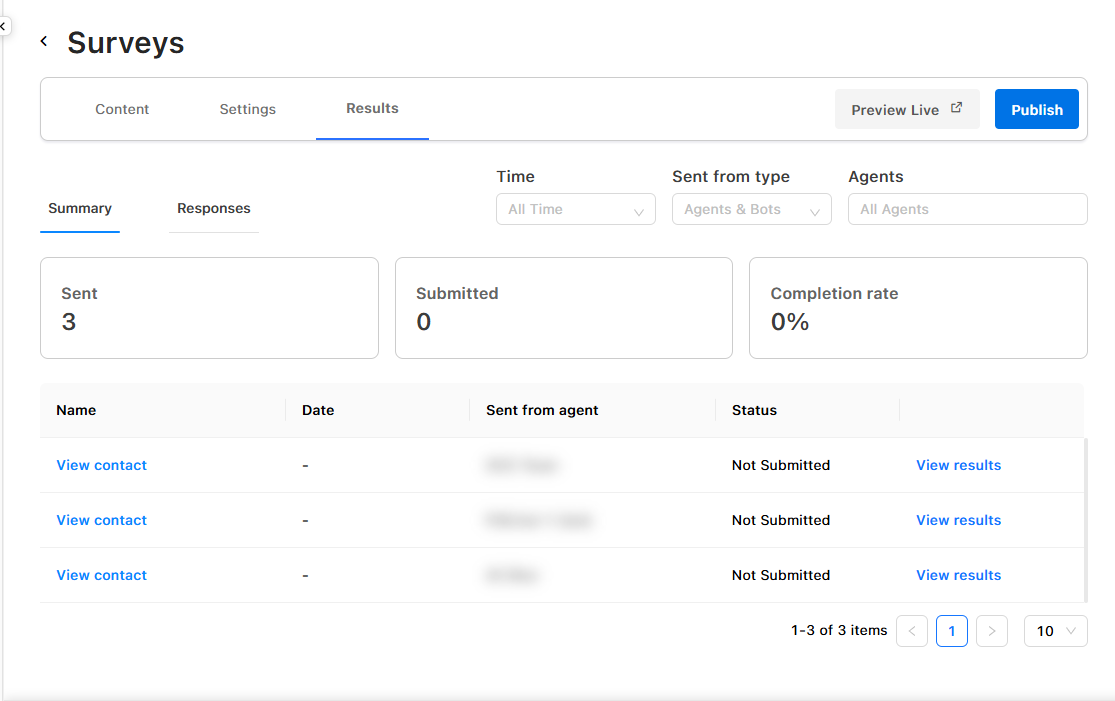
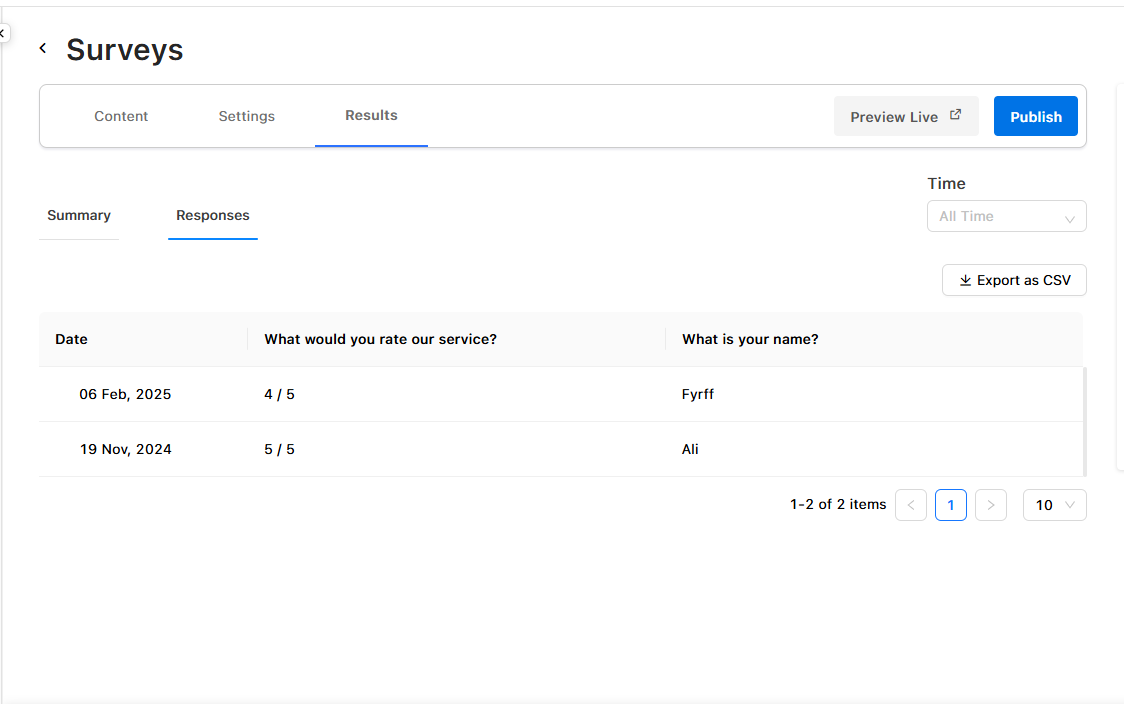
Results Tab: Analyzing Feedback
The Results tab provides comprehensive analytics on customer responses, offering valuable insights into feedback patterns and satisfaction levels.
Updated 9 months ago