
Replace Bot action
Intro
This action allows you to recall different bots as needed, significantly enhancing your conversation flow design.
Imagine having a bot specialized for sales and another for support. This approach allows you to deal with smaller, more understandable, customizable, and maintainable bots instead of a single large and complicated bot. Enhancing these bots is easier, and their behavior is more predictable.
Implementing the Replace Bot Feature
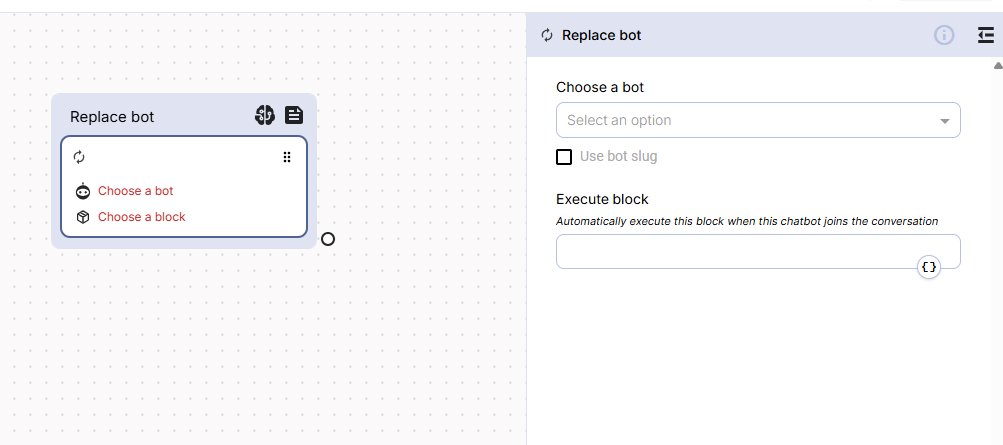
To implement this feature, you first need to create different bots for different purposes. When you want to recall another bot, you need to drag the “Replace Bot” action as shown in the image below:
As you can see, I used a Reply and Condition actions to categorize inquiries into “Sales” and “Support”. For each category, I used a “Replace bot” action to recall the specific bot. You also need to define which Block of the recalled bot should be activated, as shown in the image below:
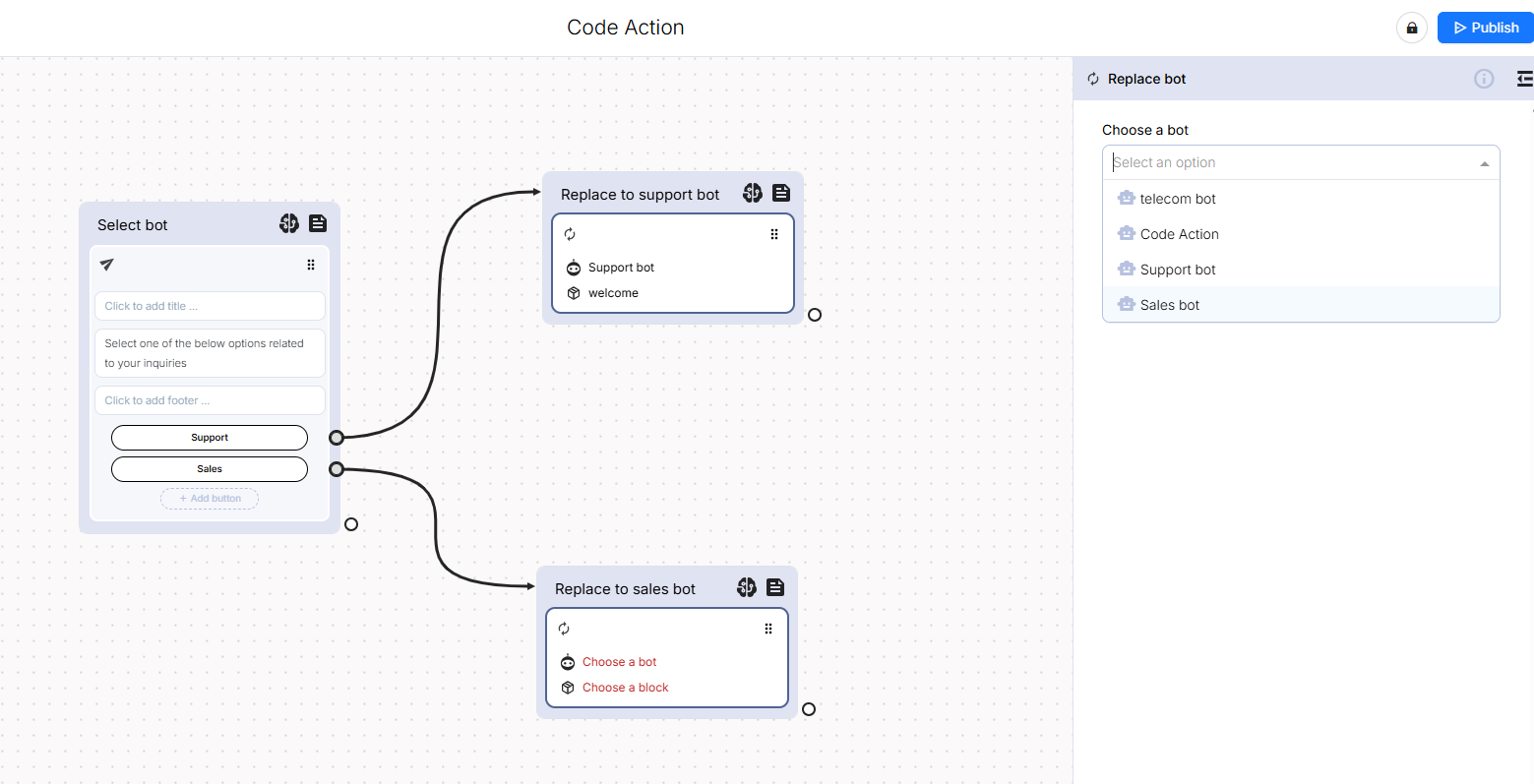
That’s all there is to it. Based on our example, you’ve created a bot that can recall the specific bot needed, whether it’s a support or sales-oriented inquiry. You can create different bots for different purposes, and there is no limit.
Updated over 1 year ago