
Form Feature to Collect User Information
Intro
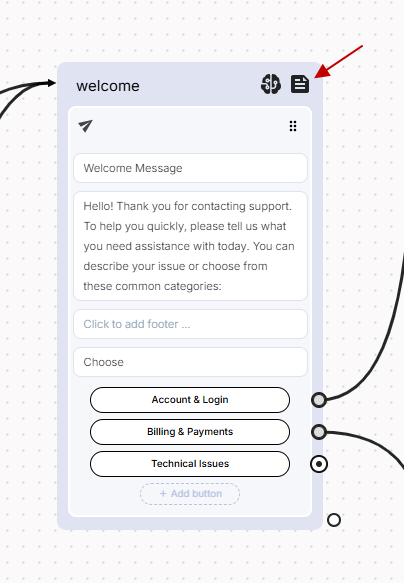
In Bot Studio, each block includes a 'Form' icon at the top, enabling you to ask your users for key information before executing the block’s main content. This feature is useful when you need to collect data such as a user's name, email, phone number, or any custom input, and store it as attributes for use later in the conversation.
What Is a Form?
A Form allows you to ask one or more questions in a single interaction. It's designed to make it easy for your bot to collect structured information from users in a conversational way. Once the user submits the required info, it is automatically saved as attributes in your bot flow and becomes available for use in subsequent messages or logic.
For example, before sending a support message or making a booking, the bot might ask:
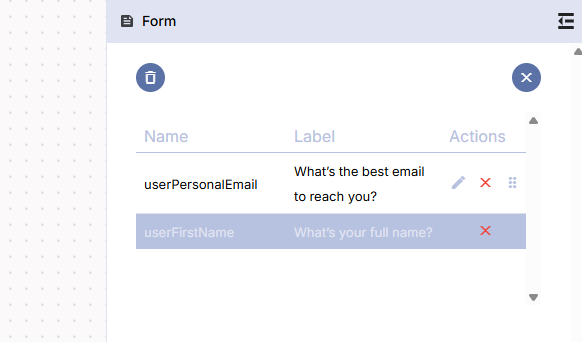
- “What’s your full name?”
- “What’s the best email to reach you?”
Accessing the Form Configuration
To configure a form:
-
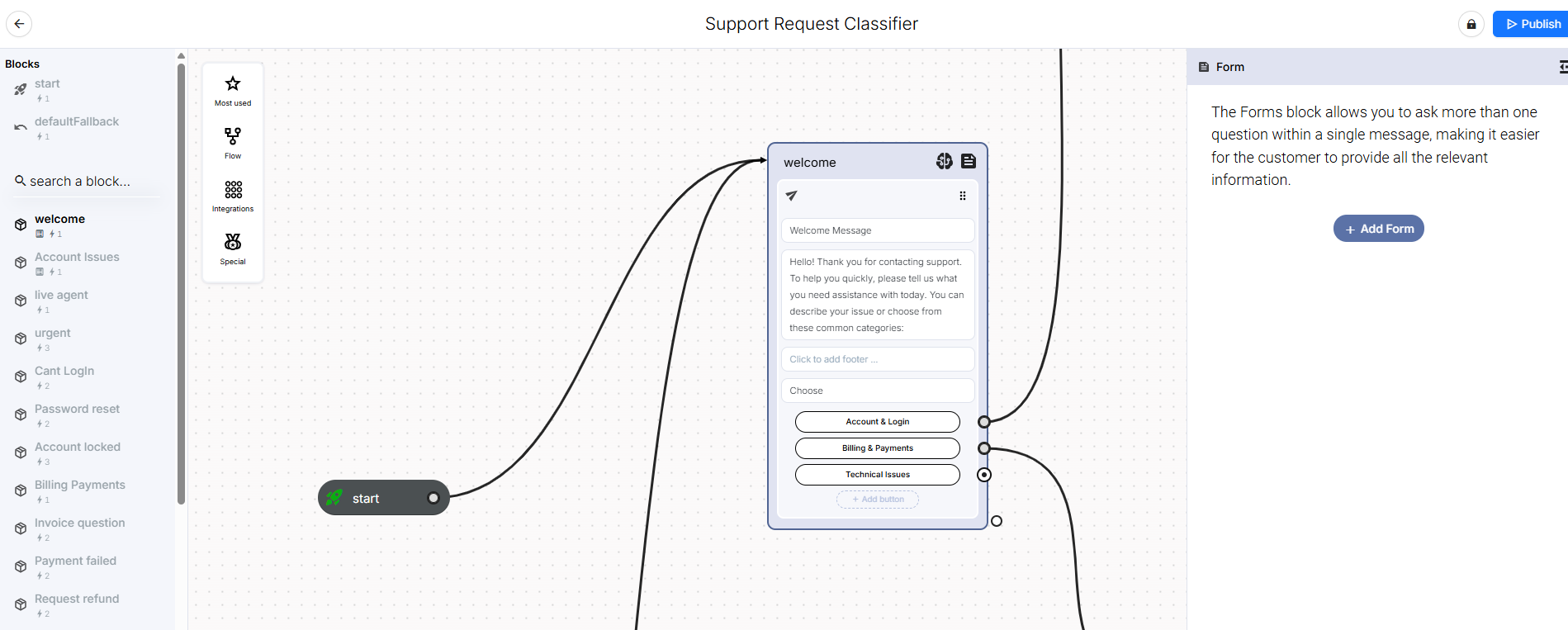
Click on the 'Form' icon at the top of any block.
-
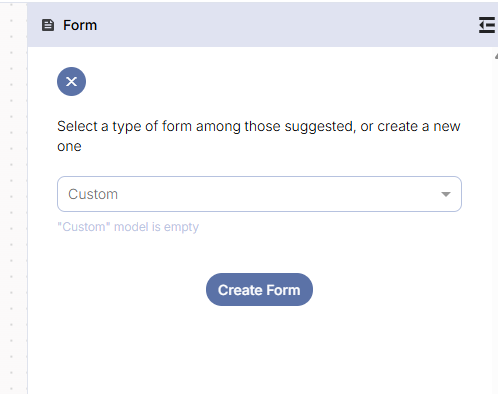
Select one of the available form types or create a custom one.
-
Configure the questions as needed, including labels, attribute names, and validation rules.
Form Types
Bot Studio offers three pre-configured form types:
- Base Form
Includes:- Full Name
- Email Address
- Advanced Form
Includes:- Full Name
- Company Name
- Phone Number
- Email Address
- Custom Form
- Empty form with no predefined fields.
- Allows you to define your questions and structure based on your flow needs.
Adding and Configuring Form Questions
For each question in a form, you can define the following:
- Parameter Name: This is the name of the attribute where the user's input will be stored. You can reuse this data elsewhere in the bot flow.
- Label: This is the actual question that will be shown to the user in the message. For example: “Please enter your phone number.”
- Validation Type: Choose how the user’s input will be validated. The available types are:
- Text: Accepts any text.
- Phone Number: Accepts valid phone number formats.
- Email: Validates against standard email formatting.
- Custom (Regex): Define your own validation rules using regular expressions for advanced use cases.
How Forms Work in the Flow
When a form is configured in a block:
- The bot pauses execution of the block content until the user provides all required responses.
- Once all form questions are answered and validated, the bot proceeds with the rest of the block content, using the collected data where needed.
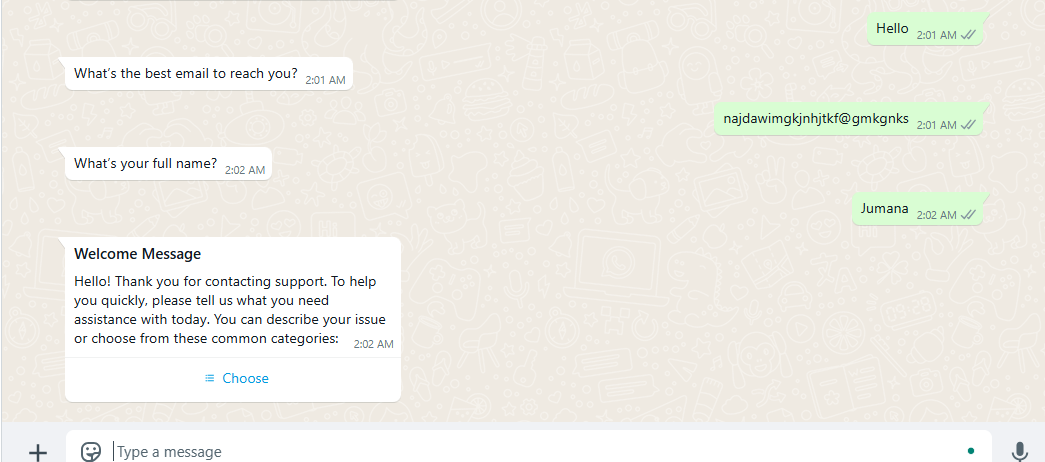
This ensures that your bot can gather essential context before taking action or providing a response.
Note:
If a form field (attribute) already has a value saved in the system, the bot will automatically skip that question.
For example, if you're using the userName attribute and it has already been captured earlier in the conversation or session, the bot will not ask the user for their name again.
This makes the experience smoother and prevents repetitive questions.
Updated over 1 year ago