
Account Defaults
Default variable to be used in the CEQUENS MFA APIs
- Navigate to the "Account Defaults" section located on the right-hand side of the interface to access settings related to code length, code expiry time, and the number of trials.
- Click on the 'Change' button to modify these settings.
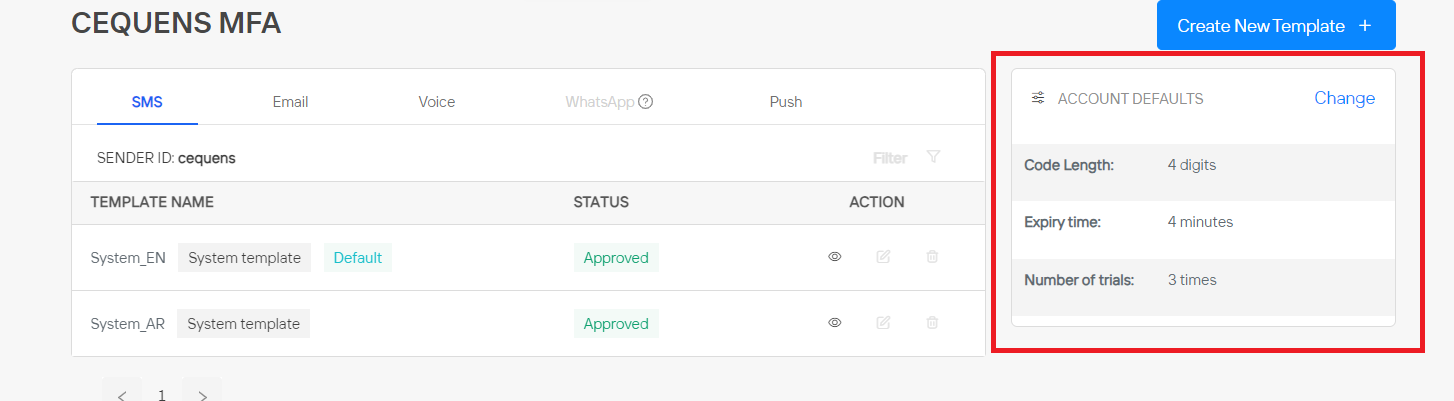
- Subsequently, a pop-up window will emerge, presenting options to customize parameters such as code length, number of trials, and expiry time.
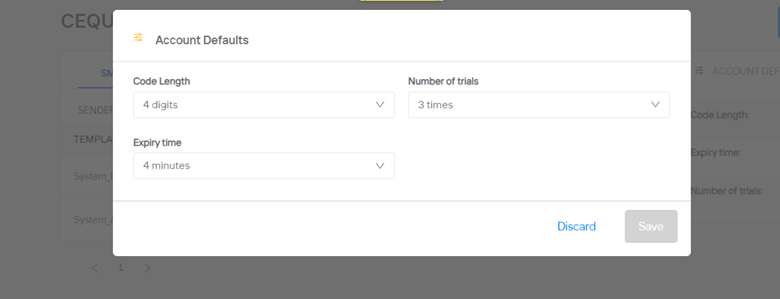
- After making your desired adjustments, click on the 'Save' button to confirm and implement the changes.
Updated over 1 year ago