
Upload Documents Setup
Enhance your GenAI agents' capabilities by uploading and incorporating your documents as a rich knowledge source. To do this, follow these steps.
Upload your documents:
- Access the GenAI Agent main interface and select 'Upload your documents'.
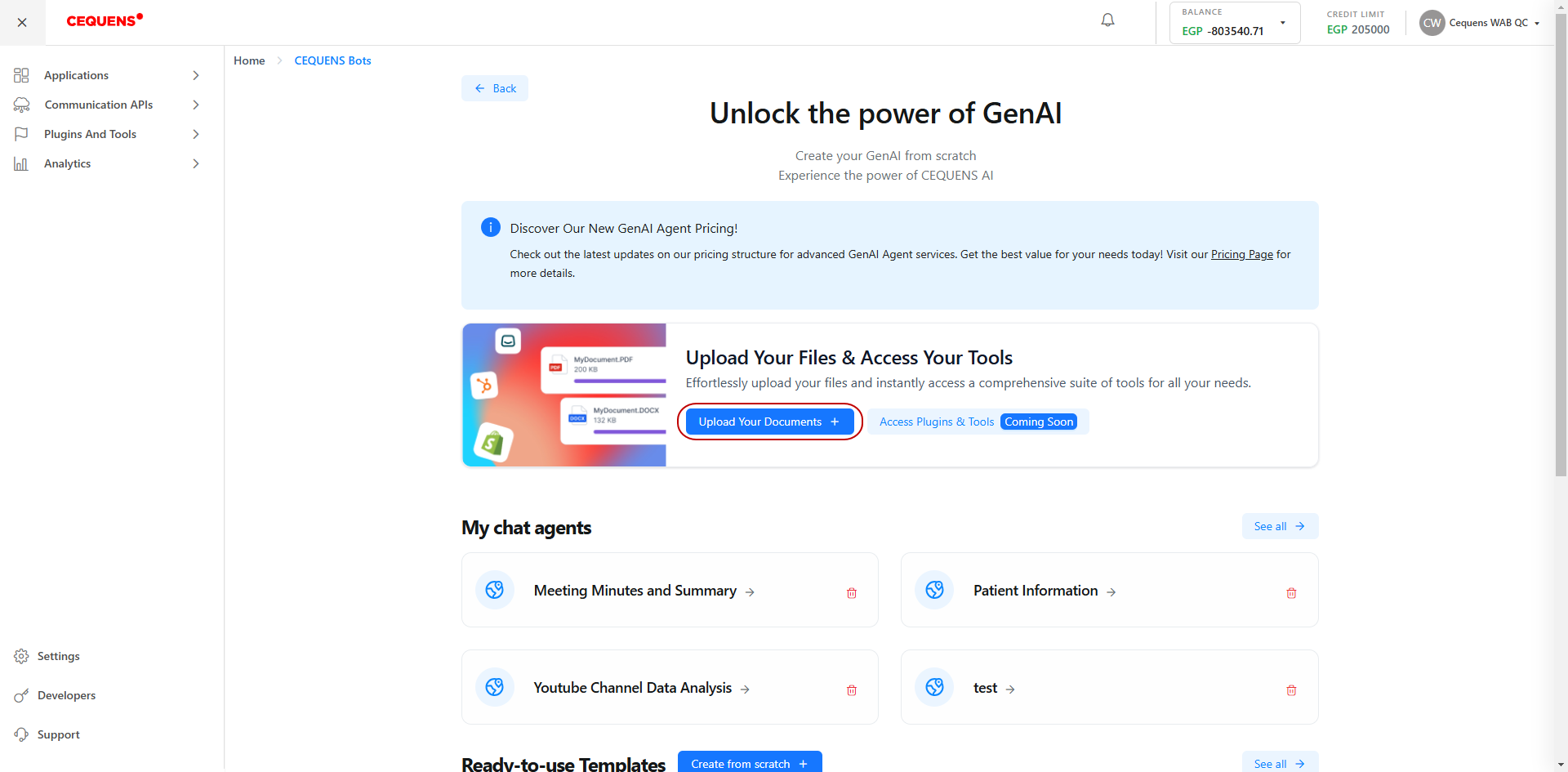
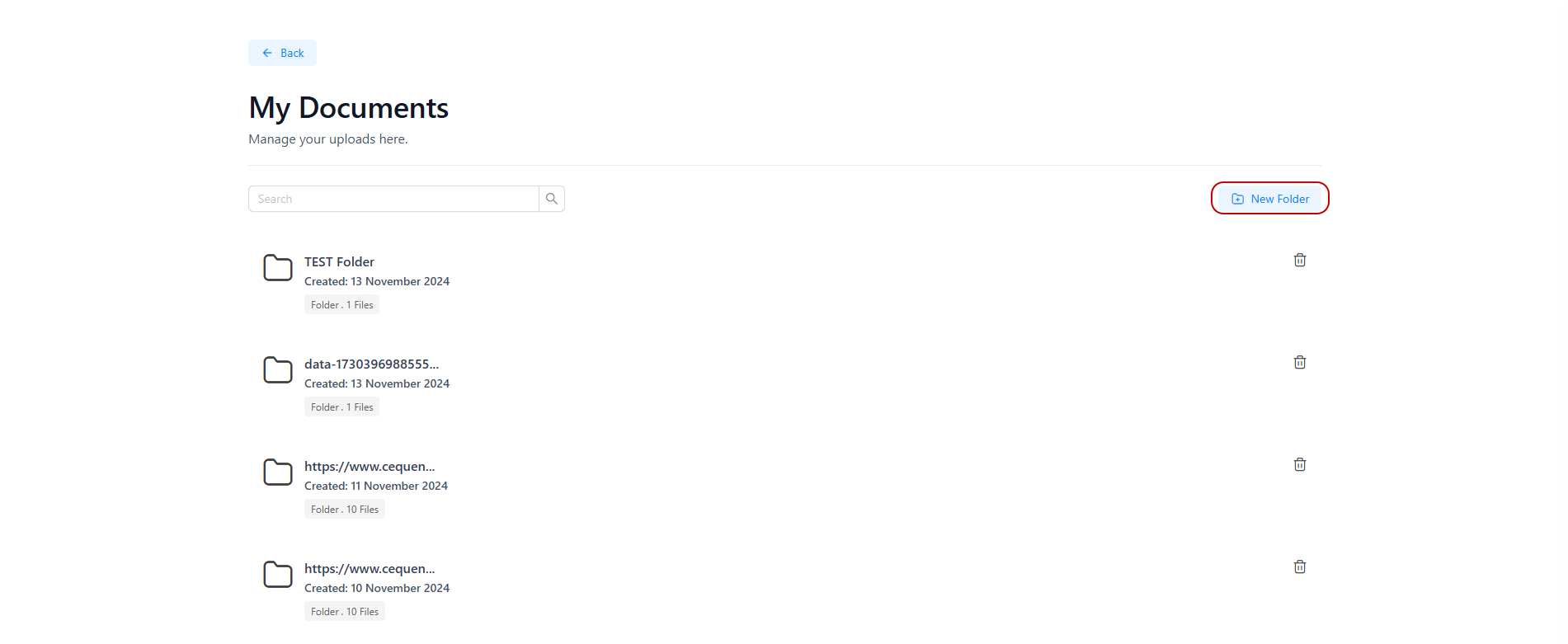
- Proceed by choosing 'New folder'.
- Choose a descriptive name for your folder to easily identify its contents
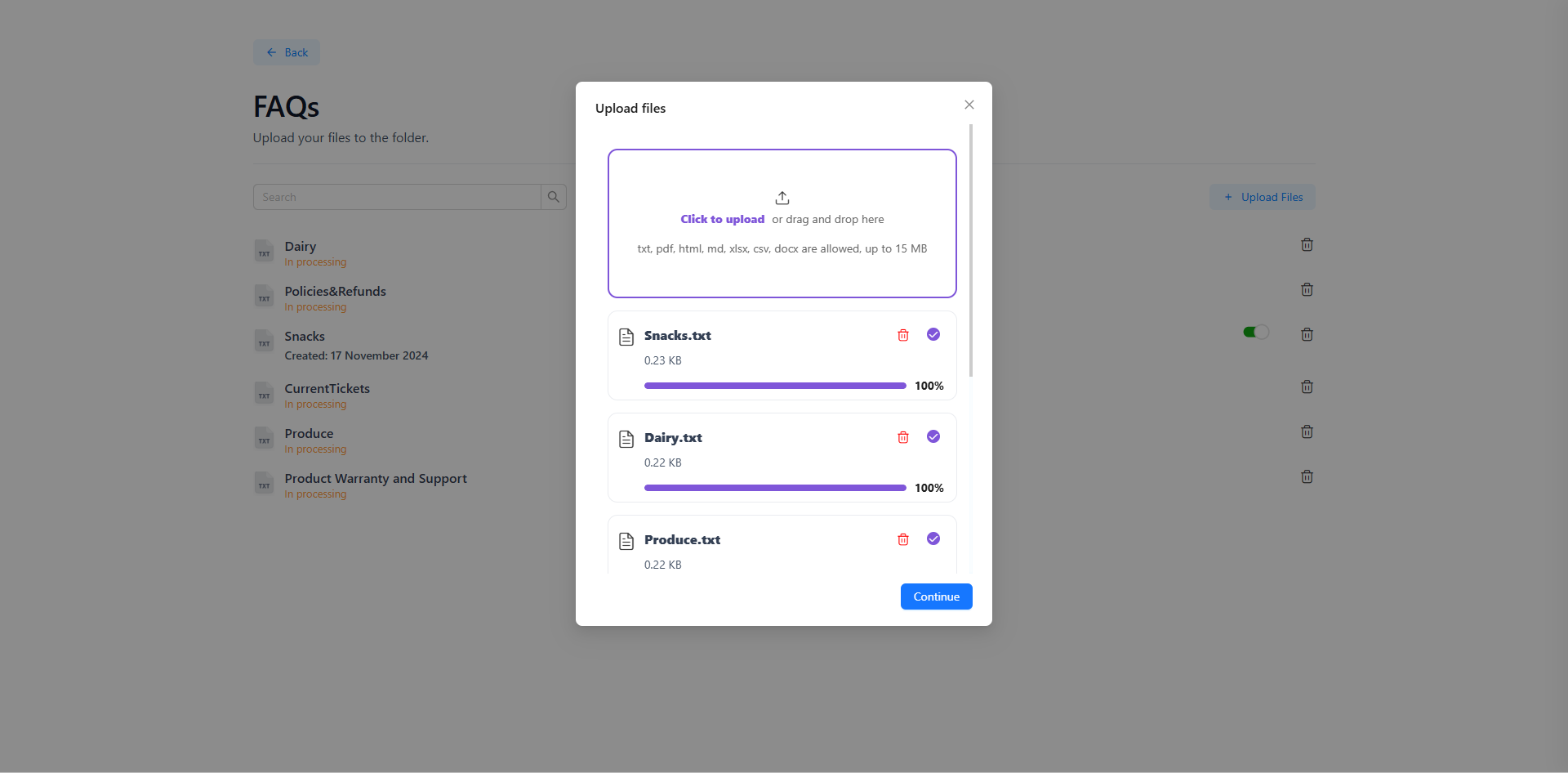
- Open the newly created folder and select 'Upload files' to upload files from your device.
- Ensure files are in the following formats: TXT, MARKDOWN, PDF, HTML, XLSX, XLS, DOCX, CSV. with a maximum size of 15 MB each.
- You can upload up to 5 files in a single batch.
- Important: The AI model will analyze the documents for indexing purposes. In case of large files, security concerns, or connectivity issues, the process might encounter difficulties, and the status will be displayed accordingly as ‘Processing failed’.
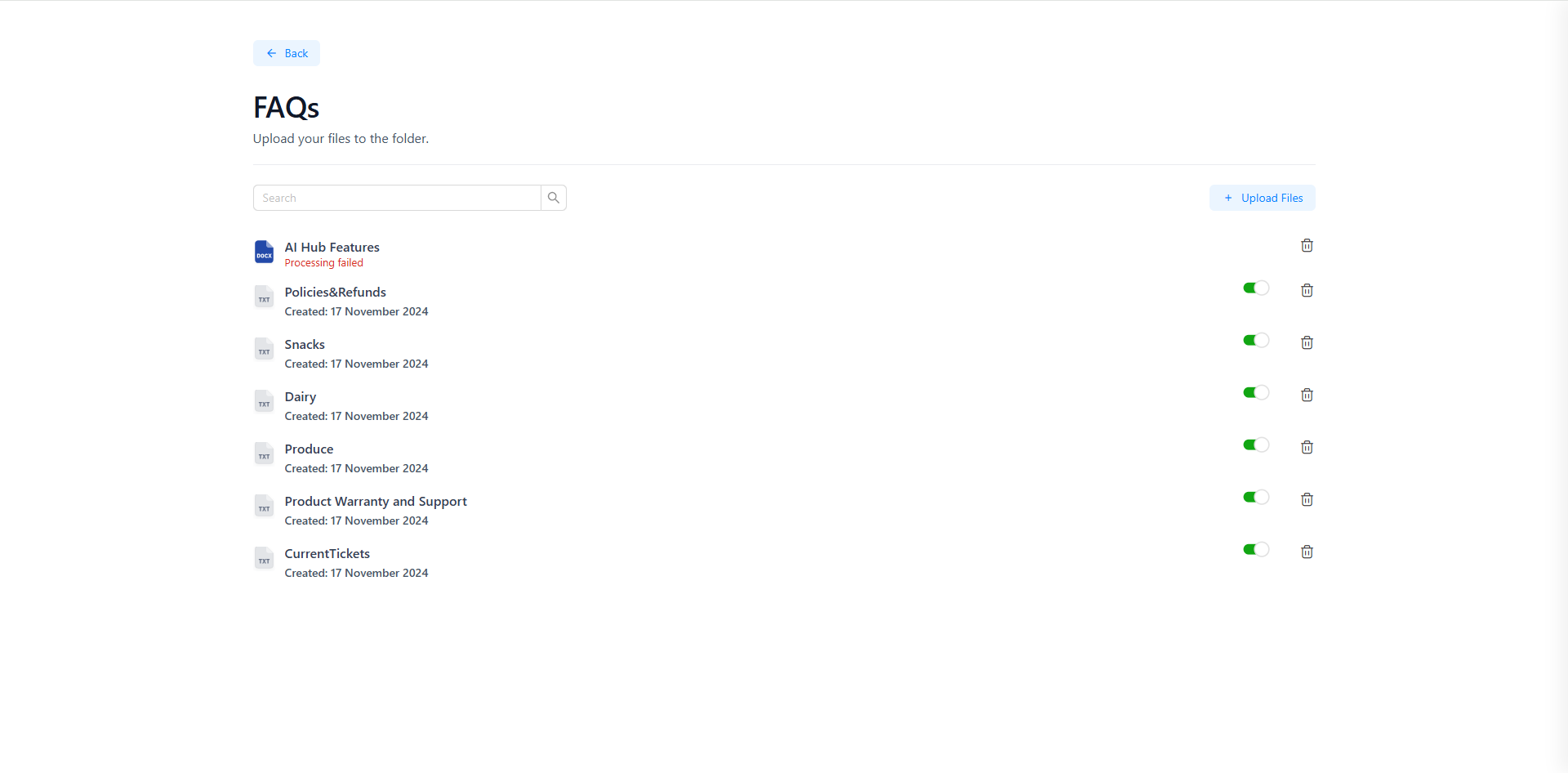
You have the flexibility to add, delete, or enable/disable any file within the folder at any time to organize it according to your preferences.
Limitations:
- Uploaded files must be in text, PDF, or other compatible formats.
- Each file should not exceed 15MB in size.
- You are unable to upload documents or multimedia as a knowledge source; only specific document formats are accepted.
Updated over 1 year ago