
Push Authentication
- You need to create an app first in Push notifications channel to be able to use this feature.
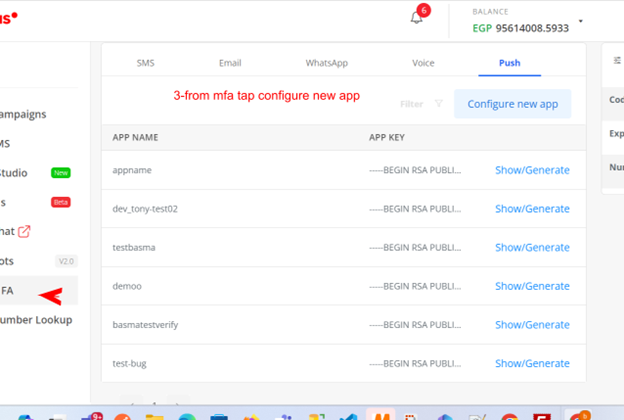
- Configure New App: Navigate to the Push tab and click on the "Configure New App" button.
- Select App: In the pop-up window, choose the application you configured in the Push Notification channel.
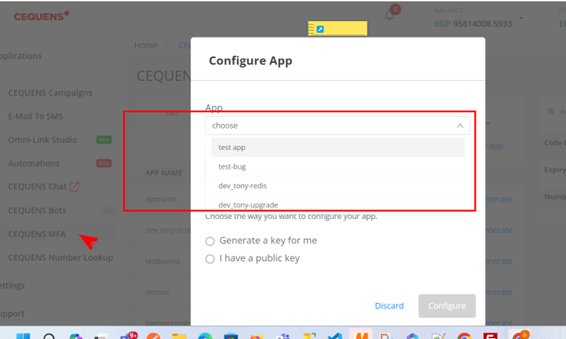
- Key Configuration: In the second part of the configuration:
- If you don’t have a key, select "Generate a new key for me".
- If you already have a key, select "I have a public key".
- Provide Webhook URL: Finally, provide the webhook URL where you will receive the status updates.
Updated over 1 year ago