
CEQUENS Bots
Integrate and manage CEQUENS AI Agent bots, Rule-Based bots, and External bots with your OCC inboxes
Overview
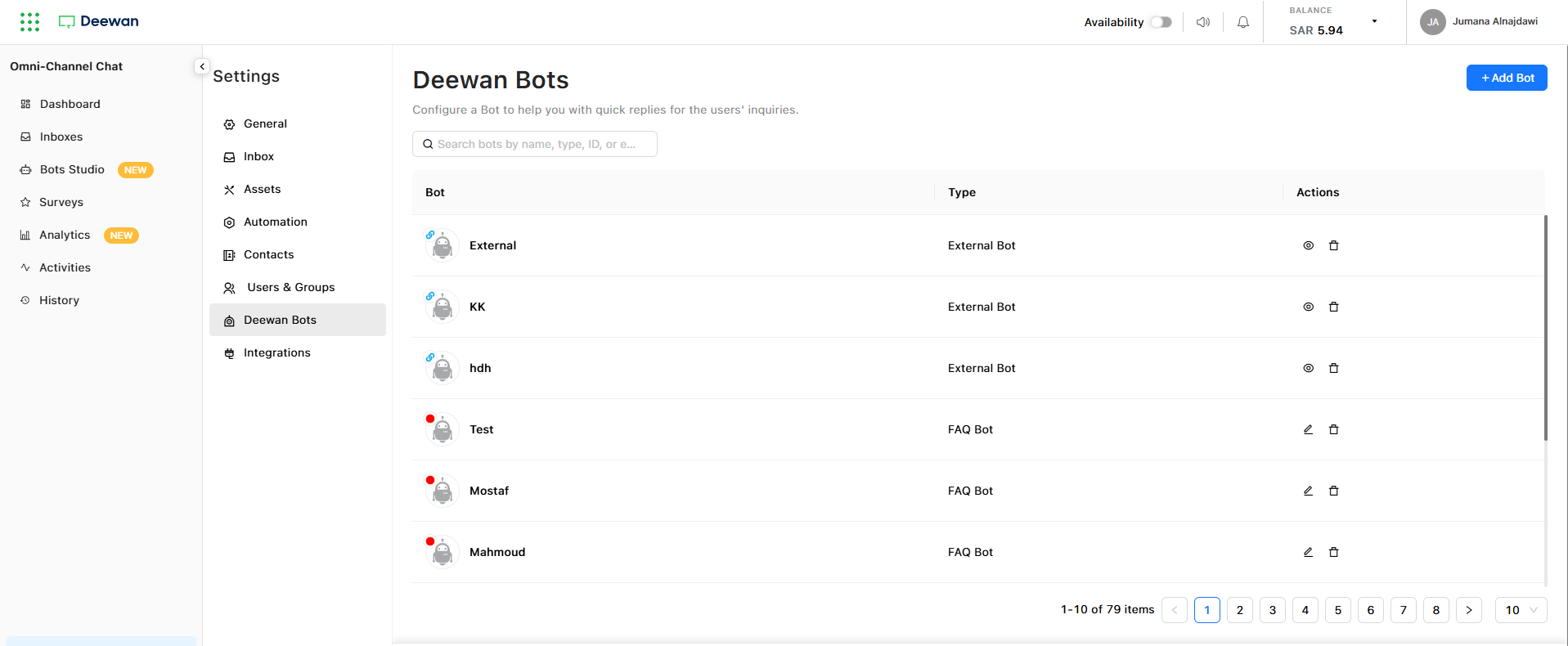
Connect and manage bots created in the Deewan Bot platform directly within your OCC inboxes. This integration provides a centralized view of all your automated conversation agents.
Key Features
Unified Bot Management
- View all bots linked to OCC in a single dashboard
- Monitor bot status and configuration in real-time
- Access bot settings and management tools quickly
Supported Bot Types
- AI Agent Bots - Intelligent conversational agents powered by AI
- Rule-Based Bots - Bots that follow predefined conversation flows
- External Bots - Third-party bots integrated via API
Important: This integration is read-only. To create or modify bots, please use the Bot Studio platform.
Adding a New Bot to OCC
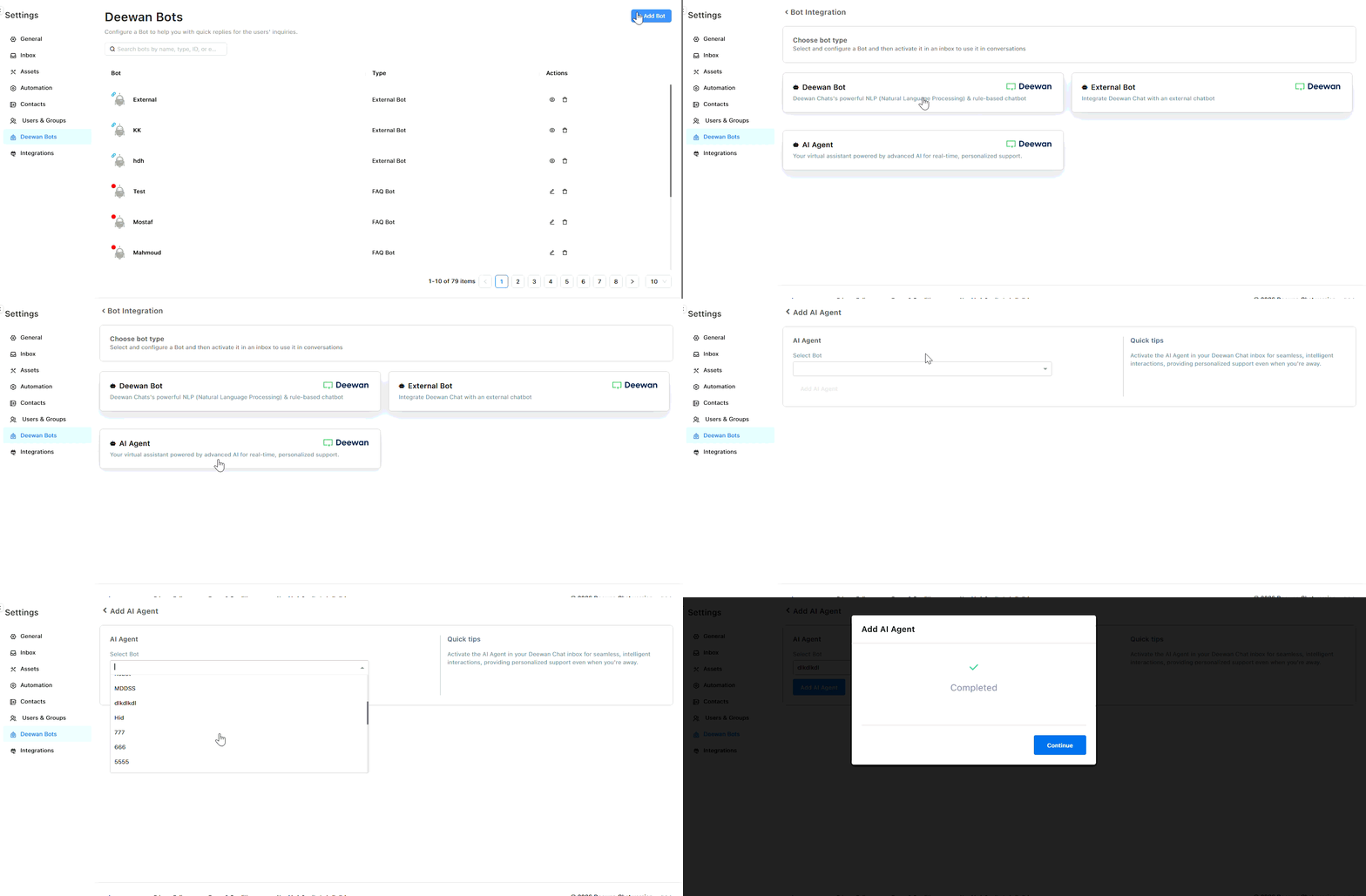
Follow these steps to integrate a new bot with your OCC inbox:
Step-by-Step Instructions
-
Initiate Bot Creation
- Click the 'Add Bot' button in your OCC dashboard
-
Select Bot Type
- Choose from:
- AI Agent Bot
- Rule-Based Bot
- External Bot
- Choose from:
-
Configure Bot Settings
For AI Agent or Rule-Based Bots:
- Select your desired bot from the dropdown list
For External Bots:
- Enter the bot's webhook URL
- Ensure your external bot follows the expected message format outlined in our API documentation
Additional Resources
AI Agent DocumentationLearn how to create and configure AI-powered conversational agents
External Bot API ReferenceTechnical documentation for integrating external bots via API
Need Help with Rule-Based Bots?
For more information about creating and managing Rule-Based bots, please contact our support team directly.
Updated 9 months ago