
WhatsApp Business Onboarding Guide
Connect your phone number to the WhatsApp Business Platform quickly and easily by following these steps.
1. Prerequisites
- A Facebook Account: Required for login.
- Access to Meta Business Manager: Create one during onboarding if needed.
- A Phone Number: Must not be active on WhatsApp or WhatsApp Business App and capable of receiving SMS or voice calls for verification.
2. Begin Setup
- Navigate to Channels → WhatsApp Business on our platform.
- Click Add new number.
- Review prerequisites and click Next.
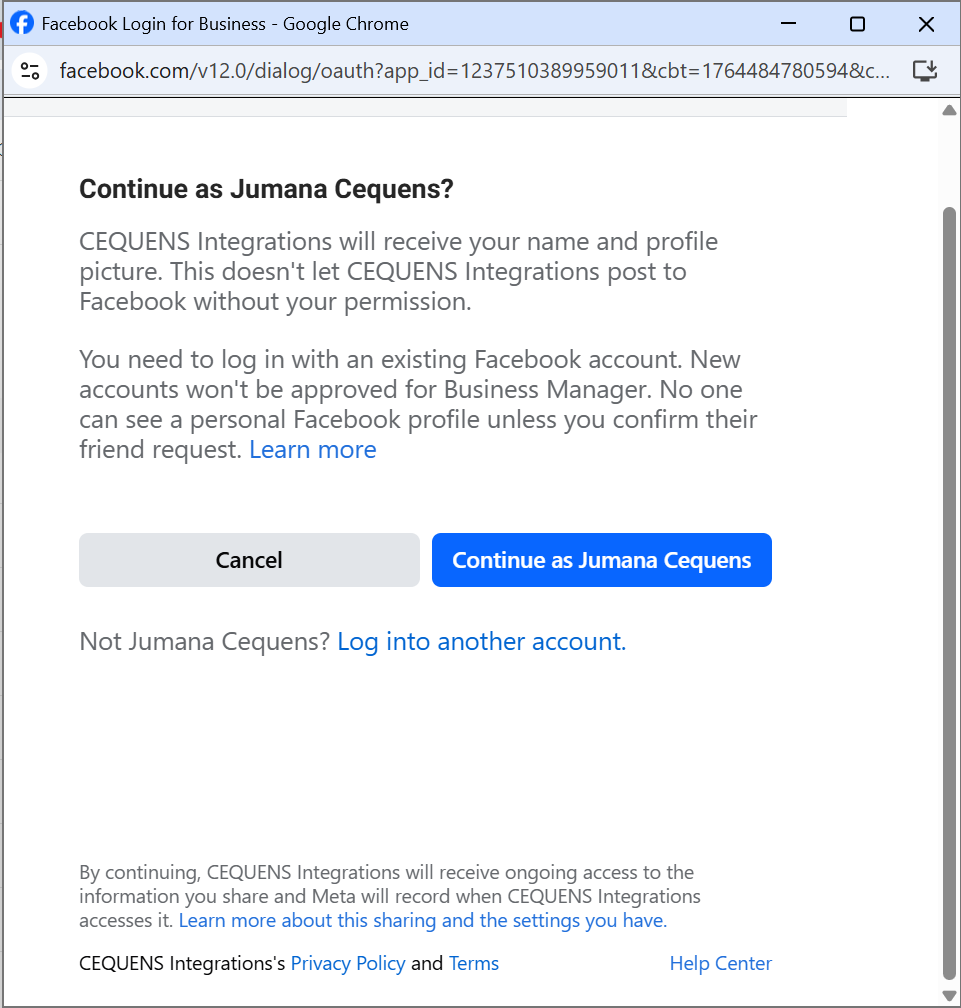
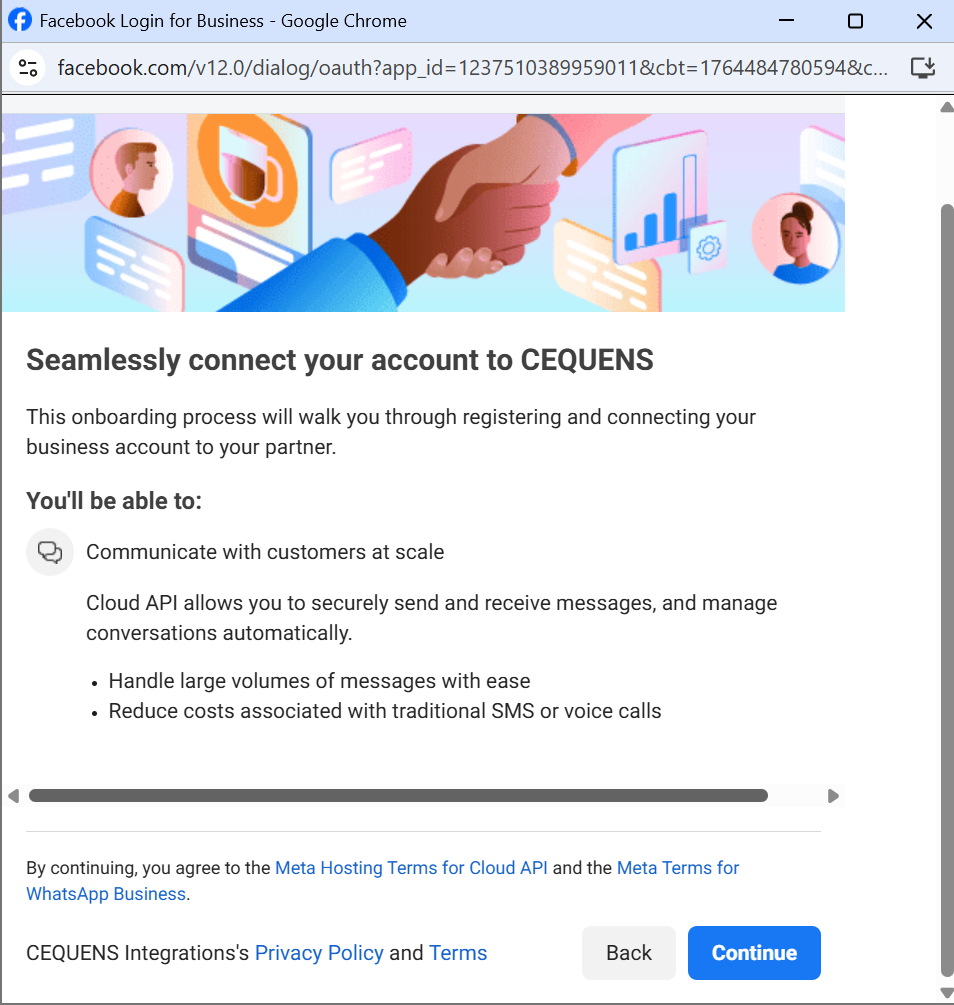
- Select Continue with WhatsApp to open the Meta onboarding popup.
3. Select Your Business
In the Meta popup:
- Log in with your Facebook account.
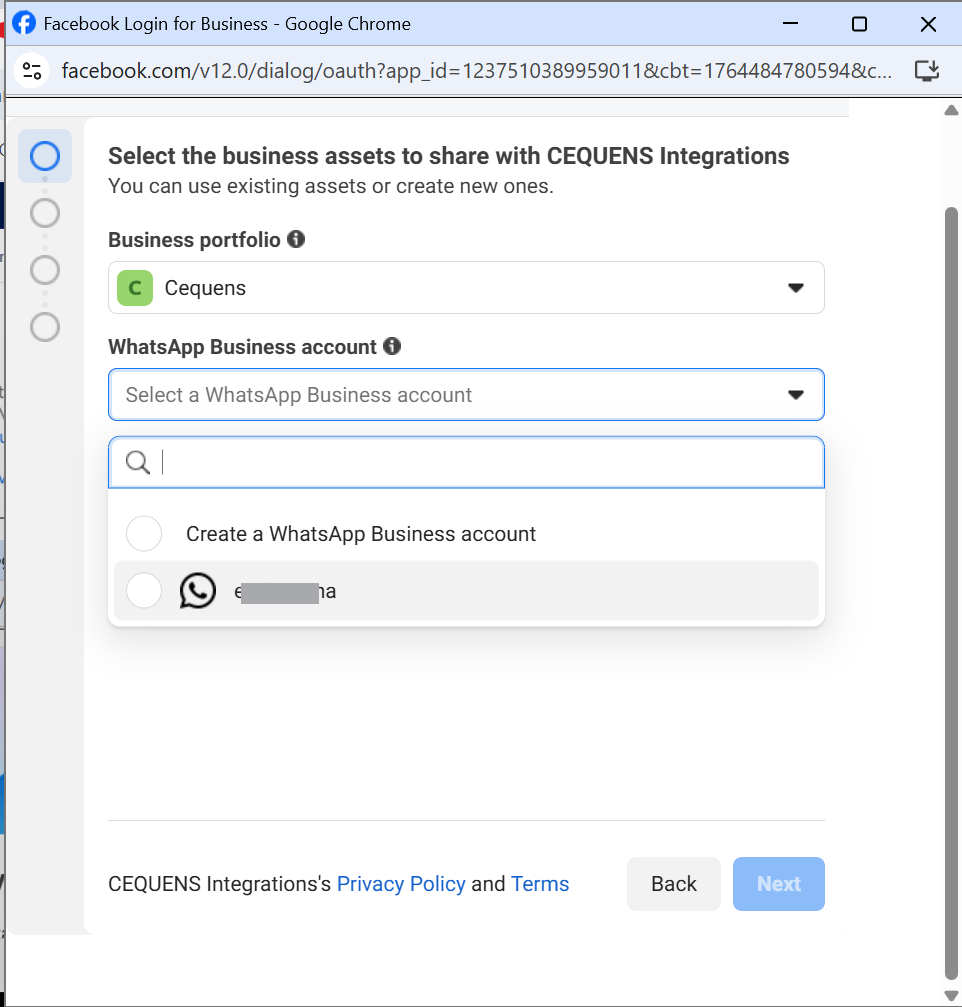
- Choose or create a Business Manager.
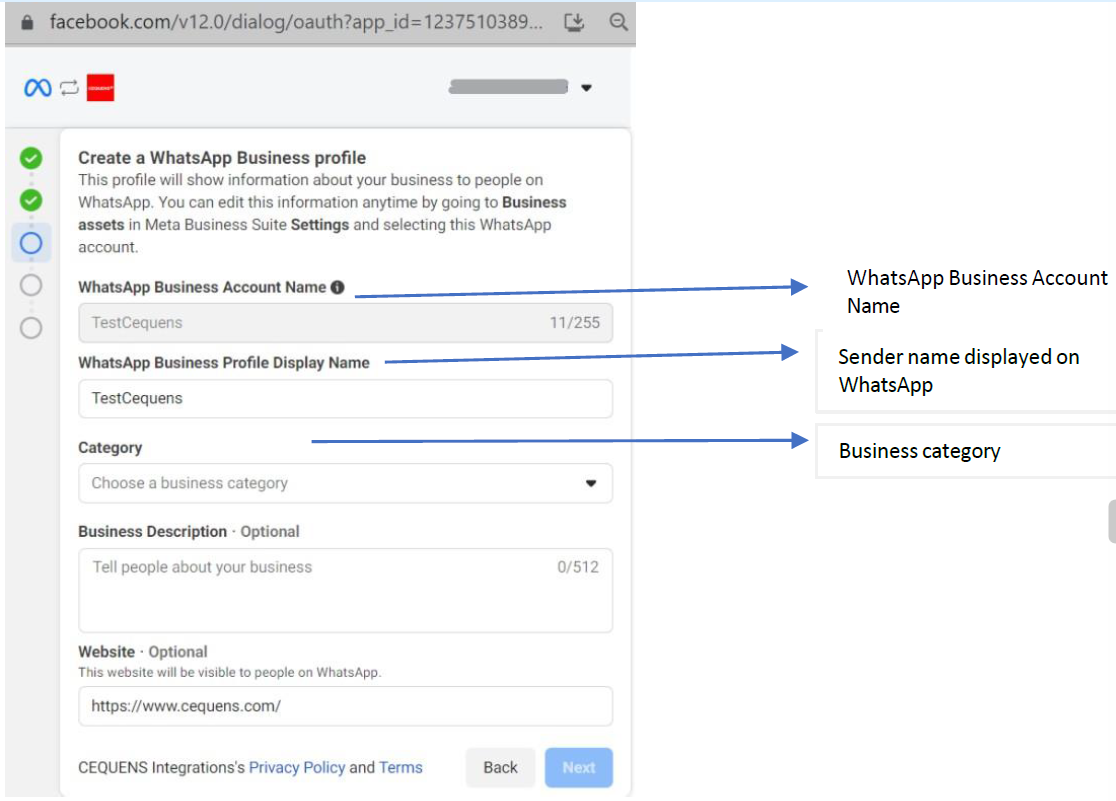
- Select or create a WhatsApp Business Account (WABA).
- Approve permissions.
4. Verify Your Phone Number
- Select your phone number.
- Choose SMS or Voice Call for verification.
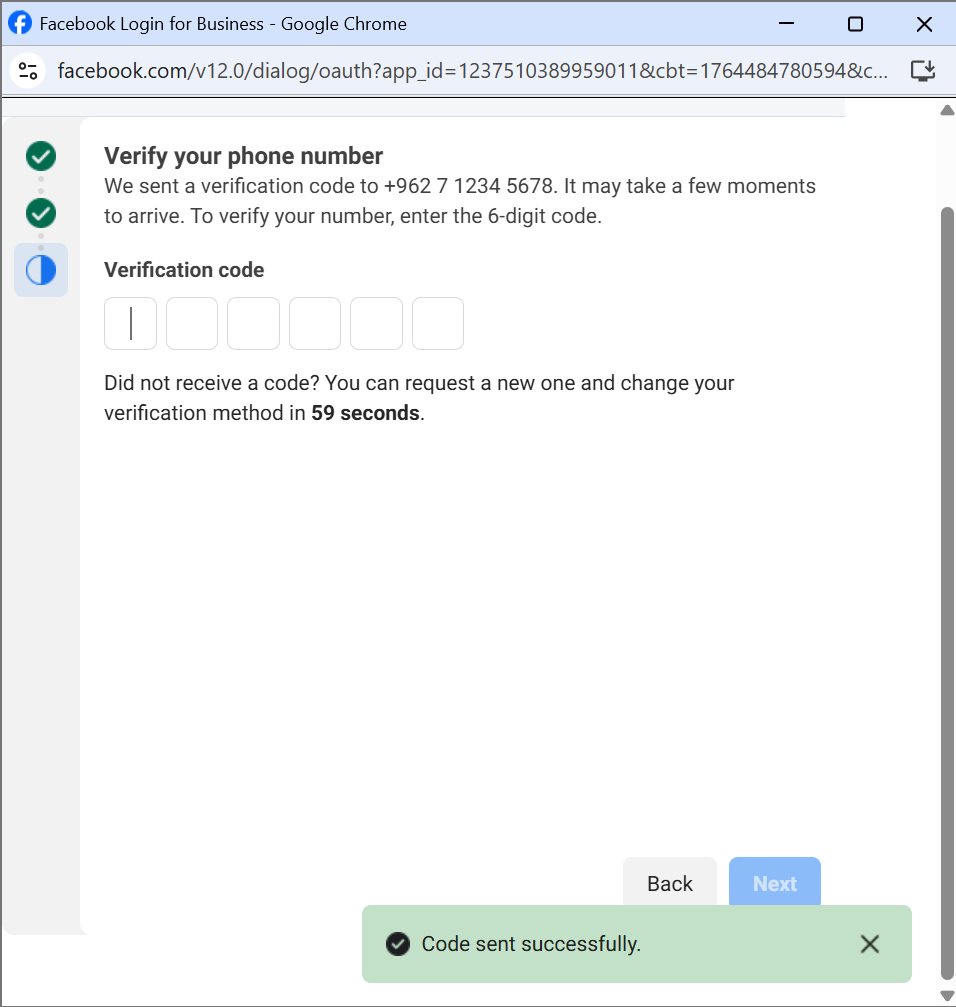
- Enter the 6-digit code received.
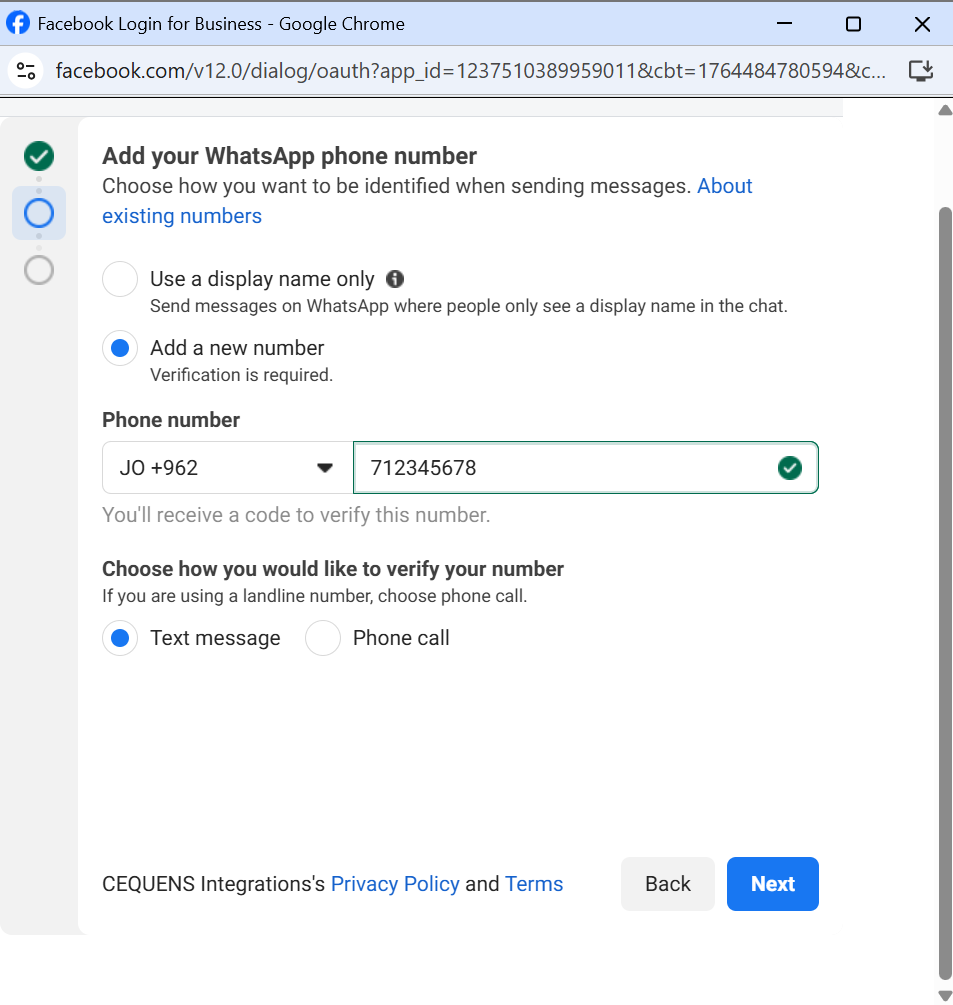
Note: If your number is registered on WhatsApp, delete the account first:
WhatsApp → Settings → Account → Delete Account
5. Activate Your Number
After verification, we will:
- Link your number to your WhatsApp Business Account.
- Generate WhatsApp API credentials.
- Activate your number on our platform.
Activation takes 1–3 minutes. Your number will appear on your dashboard once ready.
6. Configure Your Channel
Choose one linking method:
- External Endpoint: Manage message traffic through your service.
- CEQUENS Bot: Use a rule-based bot for automation.
- CEQUENS Chat: Direct messages to the Omni-Channel Chat inbox for agent management.
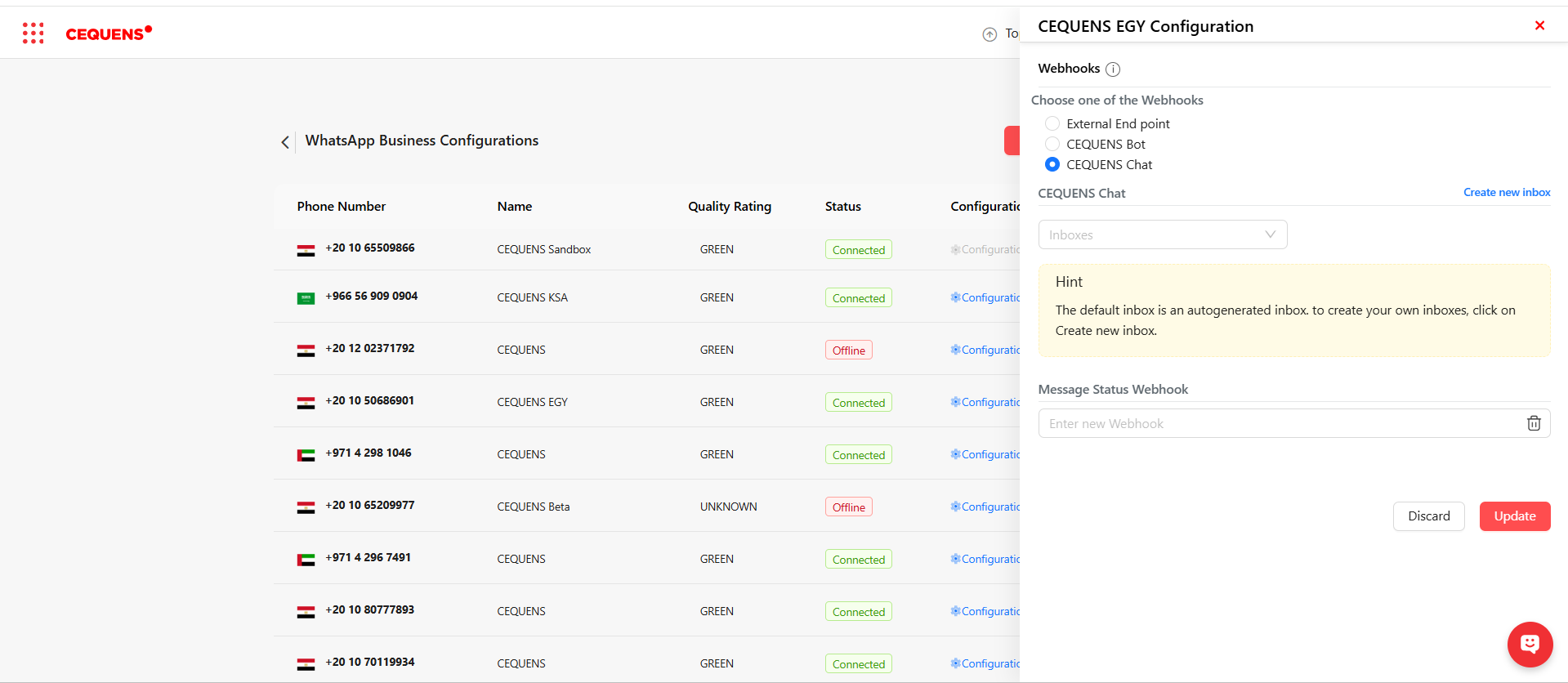
Note: Only one method can be selected at a time. Reconfigure in the console to change.
7. Troubleshooting
- No verification code? Ensure your number accepts international SMS/voice calls, disable IVR, or switch methods.
- Number already registered? Delete the WhatsApp account on your device.
- Meta popup issues? Try a different browser, incognito mode, or a desktop device.
- WABA not approved? Repeat onboarding after approval or contact support.
- Added number directly in Meta? Redo onboarding through our console for proper setup.
You're All Set!
Your WhatsApp Business number is now connected. Start messaging, building bots, and automating communication.
Updated 10 months ago