
Code Node
Intro
The Code Action provides a great method to maximize your flow's flexibility using JavaScript.
The language you can use is actually JavaScript.
You will mainly use the Code Action to develop “low code” automation when you need advanced features only provided by a programmatic approach. Keep in mind that no async features are allowed. You can only use synchronous coding. If you need to get some data from a remote web service, you can do it by prepending a Web Request action to the Code Action.
Use context.attributes.KEY or context.attributes[KEY] to read the value of a flow attribute
Ex.
let age = context.attributes.age;Use context.setAttribute(KEY, VALUE) to set the value of an attribute
Ex.
context.setAttribute('age', 35);In the following example, you can test how the Code Action works.
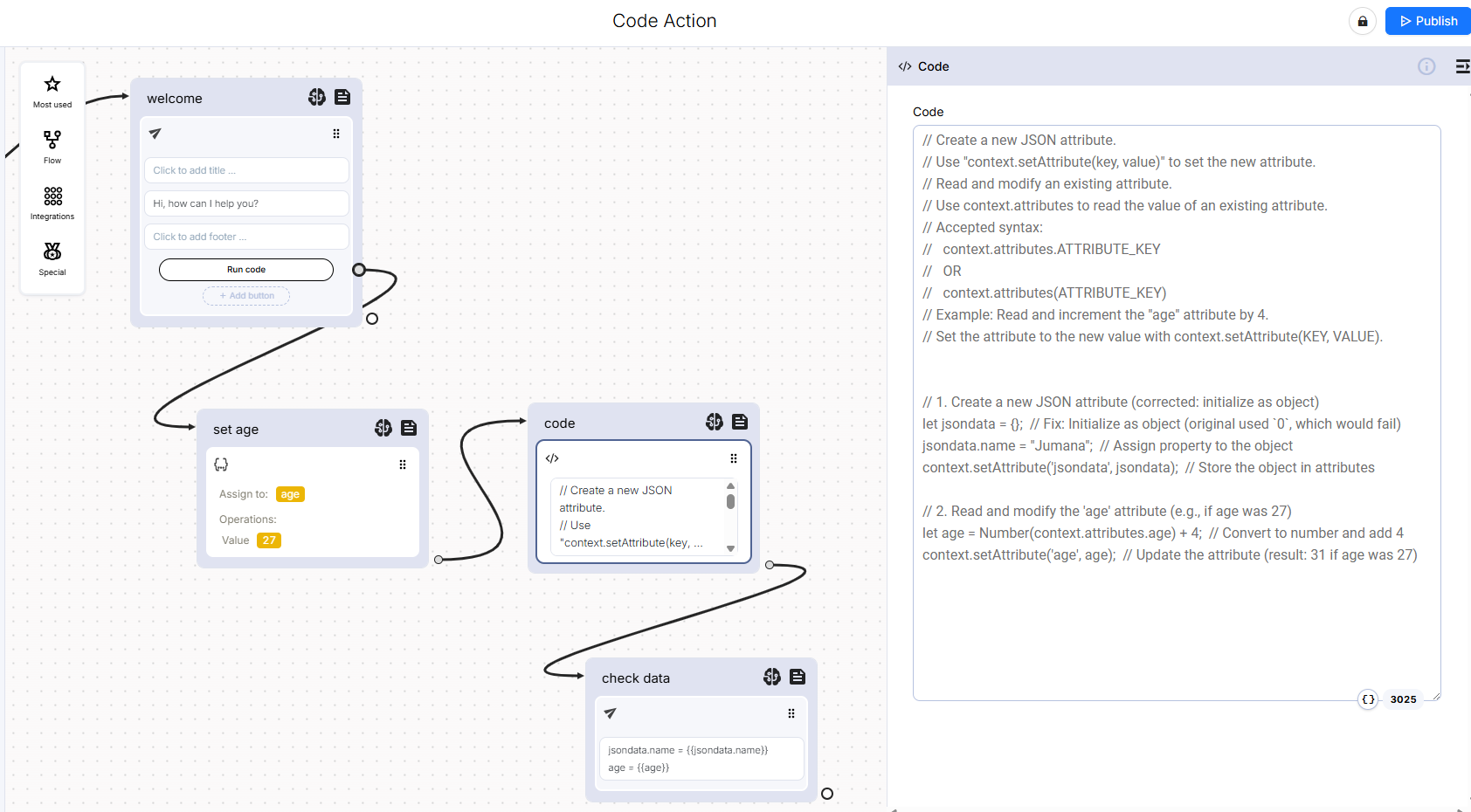
In this example, we execute a couple of tasks:
- Modify the existing “age” attribute set up using the Set Attribute action (age = 2)
- Add a new attribute (jsondata) to the flow
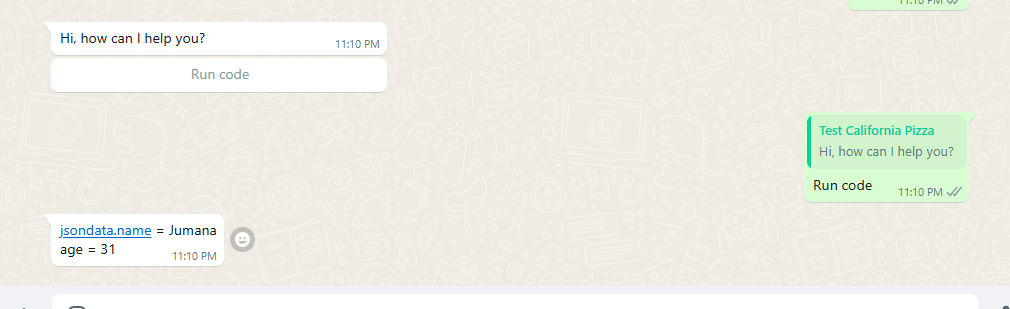
You can see the result printed in the reply:
Updated over 1 year ago