
Questions Feature in Bot Studio
Intro
To make your chatbot more intuitive and responsive, Bot Studio offers a Questions feature, accessible via the 'Brain' icon at the top of each block. This feature allows you to train your bot to recognize and respond to different user inputs by matching them with predefined blocks in your flow.
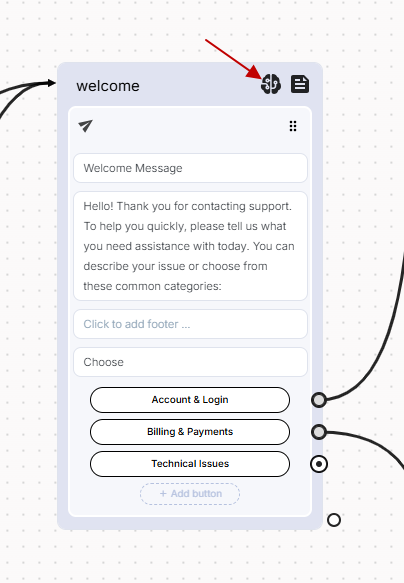
What Are "Questions"?
Questions are example phrases or expressions that you expect an end-user to say when they should be directed to a specific block. These are often referred to as training phrases. Adding relevant phrases to each block teaches the bot how to understand and route user input appropriately.
For example, in a Welcoming Block, you might add training phrases like:
- "Hello"
- "Hi"
- "Hey"
- "مرحبا"
- "Can I speak to someone?"
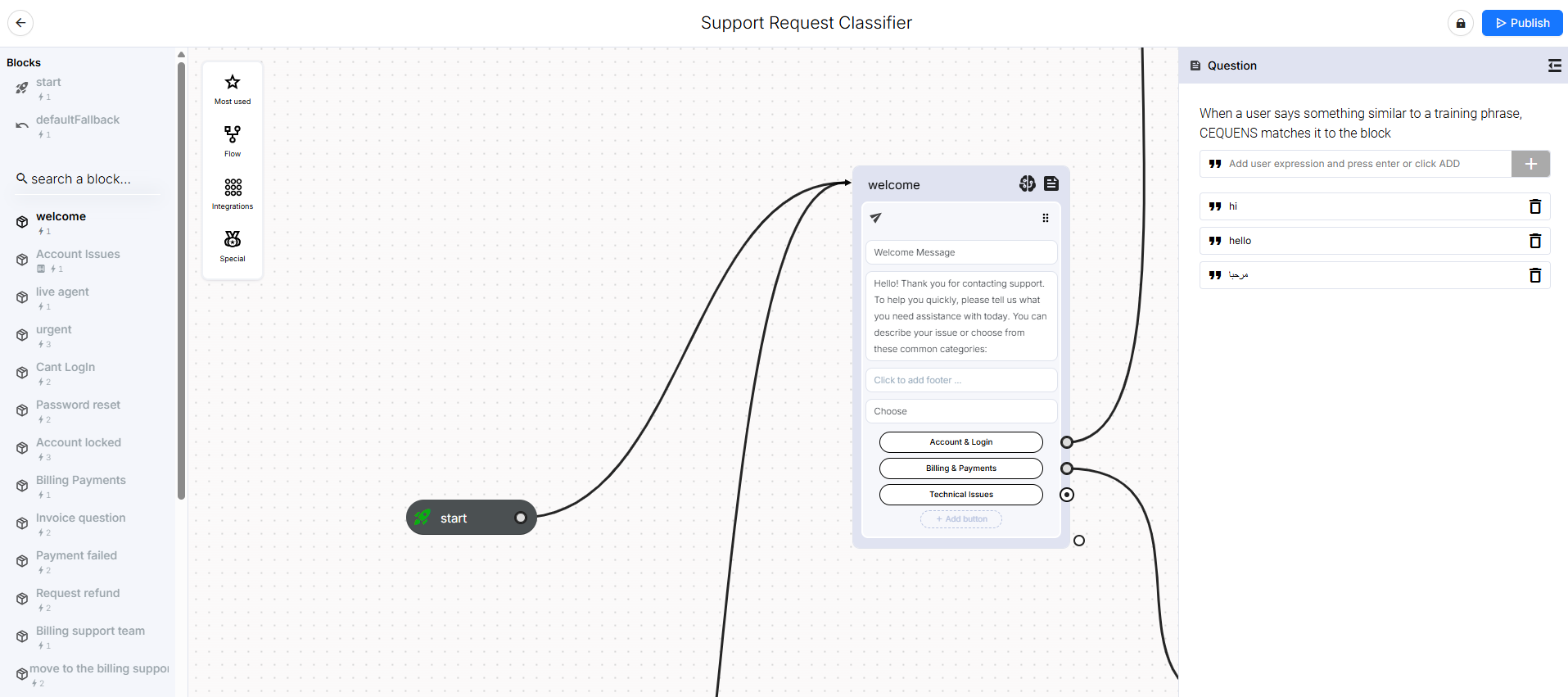
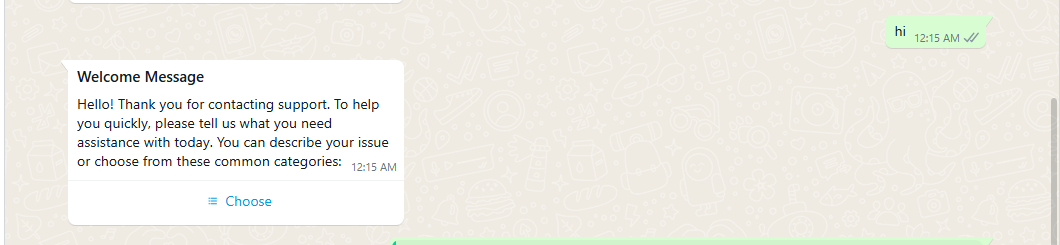
If an end user types "hi" during the live conversation, the bot will detect that this matches a training phrase in the Welcoming Block and automatically direct the conversation to that block’s response and flow.
How to Add Questions to a Block
- Navigate to the block in your bot flow where you want to train specific user inputs.
- Click the 'Brain' icon at the top of the block. This opens the Questions configuration panel.
- Add all relevant phrases that a user might say to trigger this block.
- Save your changes.
You can add as many phrases as needed to ensure better recognition accuracy. The more varied and realistic the training phrases are, the more accurately your bot can respond in real-world conversations.
How It Works in Real Time
- Once you've configured Questions for one or more blocks:
- When an end user types something during a conversation, the bot compares the input against all training phrases.
- If the input matches (or closely resembles) a phrase in a specific block, the bot will automatically route the conversation to that block.
This ensures a smooth, intelligent experience for users without requiring rigid button-based navigation.
Best Practices
- Use a mix of formal and casual language in your training phrases.
- Anticipate typos or common abbreviations (e.g., "pls" for "please").
- Keep training phrases concise and varied for each block.
Updated over 1 year ago